

Upload to Steam
On this page
To distribute on Steam, export a desktop version that connects to Steam, and upload it to Steam with lim publish steam. The VDF files for uploading (SteamPipe configuration files) are made automatically.
Set the App ID and achievements
- Click the project button at the top left of the screen, and choose “Export” at the top right.
- Scroll down to “Steam,” and enter your Steamworks app ID in “App ID.”
- If the game’s achievement names differ from the achievement API names in Steamworks, add pairs in “Achievement names.” For achievements that count, write the Steamworks stat API name in “Stats for counted achievements.”
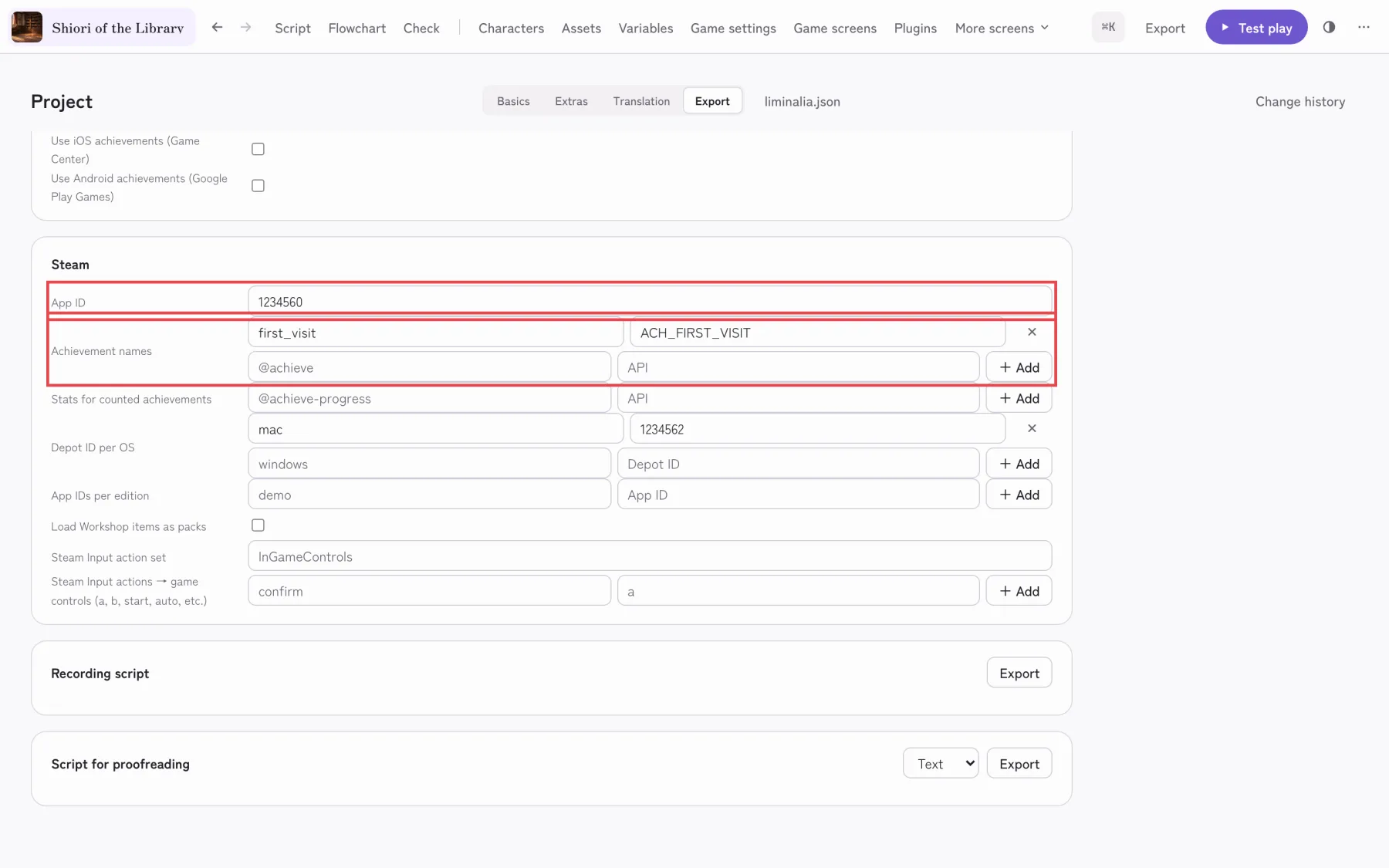
Once you enter the App ID, the desktop version connects to Steam from the next export on (achievements, cloud saves, rich presence and so on).
Write the depots
In Steamworks, create a depot for each OS under “Depots” in “SteamPipe,” and write their IDs in build.steam.depots in liminalia.json. Only the OSes you write here are uploaded.
"build": {
  "steam": { "appId": 1234560, "depots": { "windows": 1234561, "mac": 1234562, "linux": 1234563 } }
}
Export and upload
lim build mac,windows,linux
lim publish steam --dry-run
With --dry-run, it makes the VDF without uploading and shows the command it would run. Check the contents, then upload with your account name.
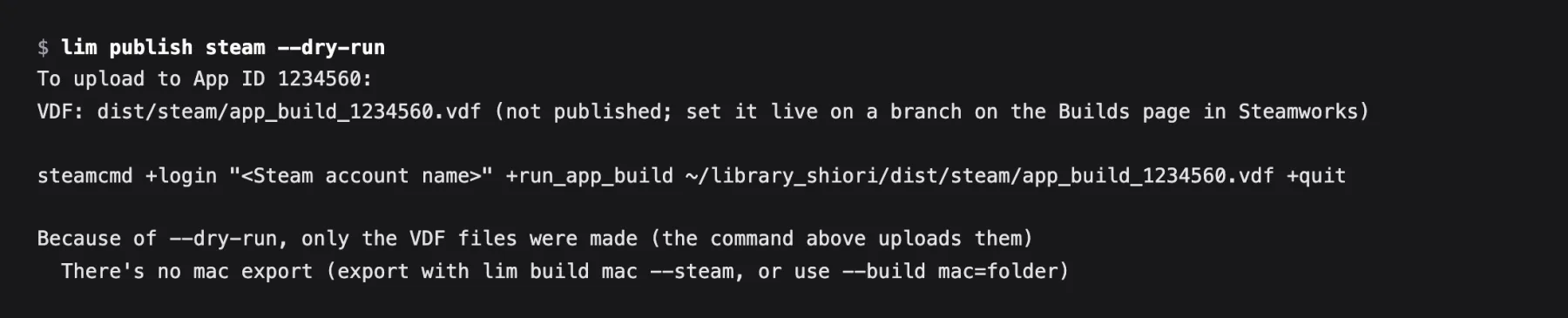
lim publish steam --login my_steam_buildersteamcmd asks for the password and the Steam Guard code. lim never receives the password. It’s safer to create an account just for uploading builds and give it only the permission to edit builds.
| Option | What it does |
|---|---|
--branch beta | After uploading, makes the build live on that branch (if you leave it out, the build isn’t made live) |
--desc "1.2.0" | The build description |
--build windows=<folder> | Chooses the export to upload (the newest export if you leave it out) |
--preview | Makes only the list of what would be uploaded, without uploading |
steamcmd is in tools/ContentBuilder in the Steamworks SDK. If it can’t be found, check how to install it with lim doctor --target steam.