

Fade out and change scenes
On this page
Where the scene changes, a common sequence is to fade out, hide all sprites, change the background and then fade back in. The “Scene change” part does all four at once. You can also stop or change the BGM while the screen is dark.
The examples on this page use the project you make in the tutorial, “Shiori of the Library.” The backgrounds hill_night.webp and hill_morning.webp are from the sample assets (“Add sample assets” in the ”…” menu of the Assets screen adds them).
Add a scene change
Here, the story moves from a scene in the library to a scene on the hill at night.
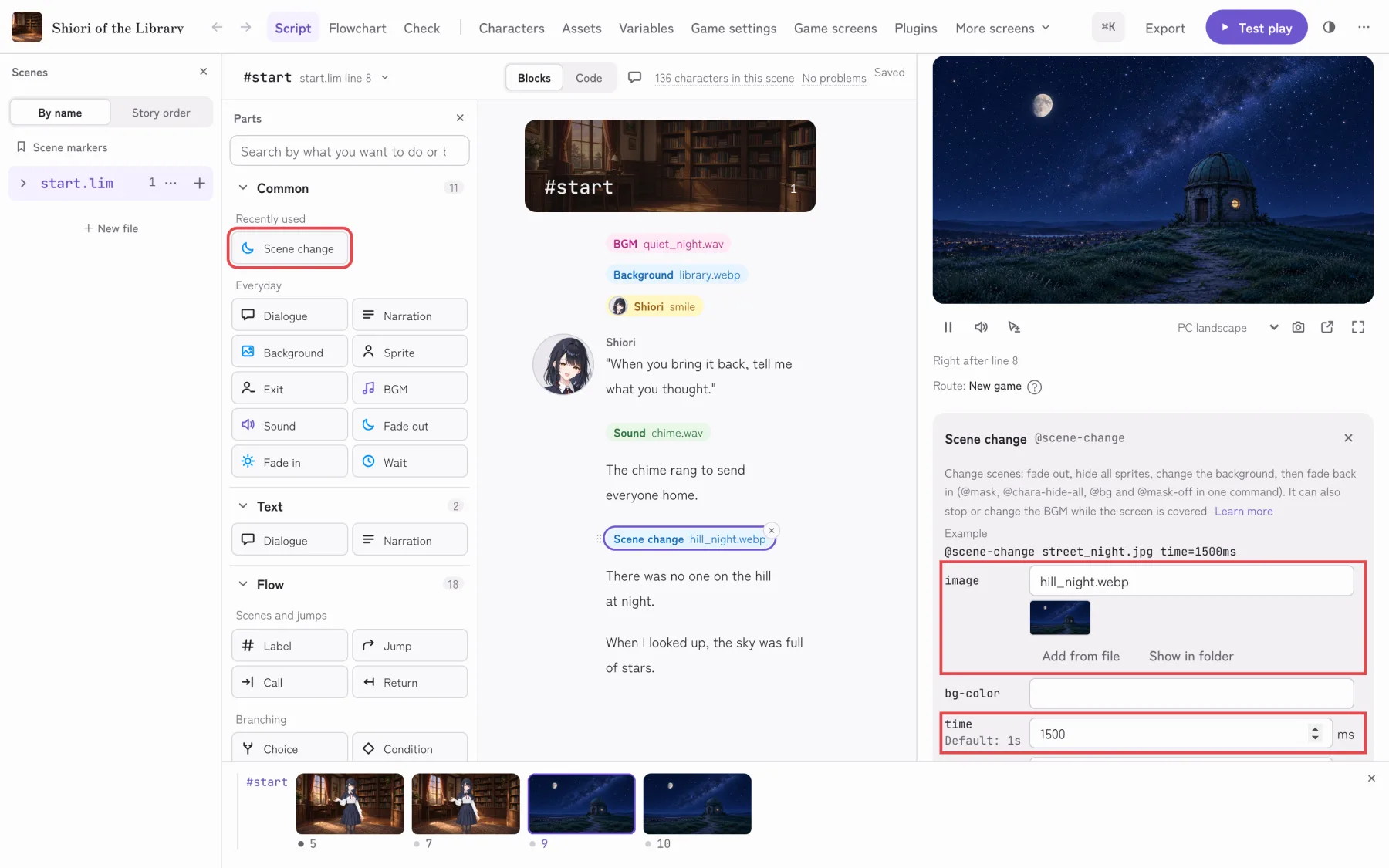
- Select the line just before where the scene should change (here, “The chime rang to send everyone home.”).
- Double-click “Scene change” under “Common” in the parts panel.
- In
imagein the panel on the right, choose the background for the next scene (here,hill_night.webp). - In
time, enter the time for the fade out and for the fade in, each, in milliseconds (here,1500).
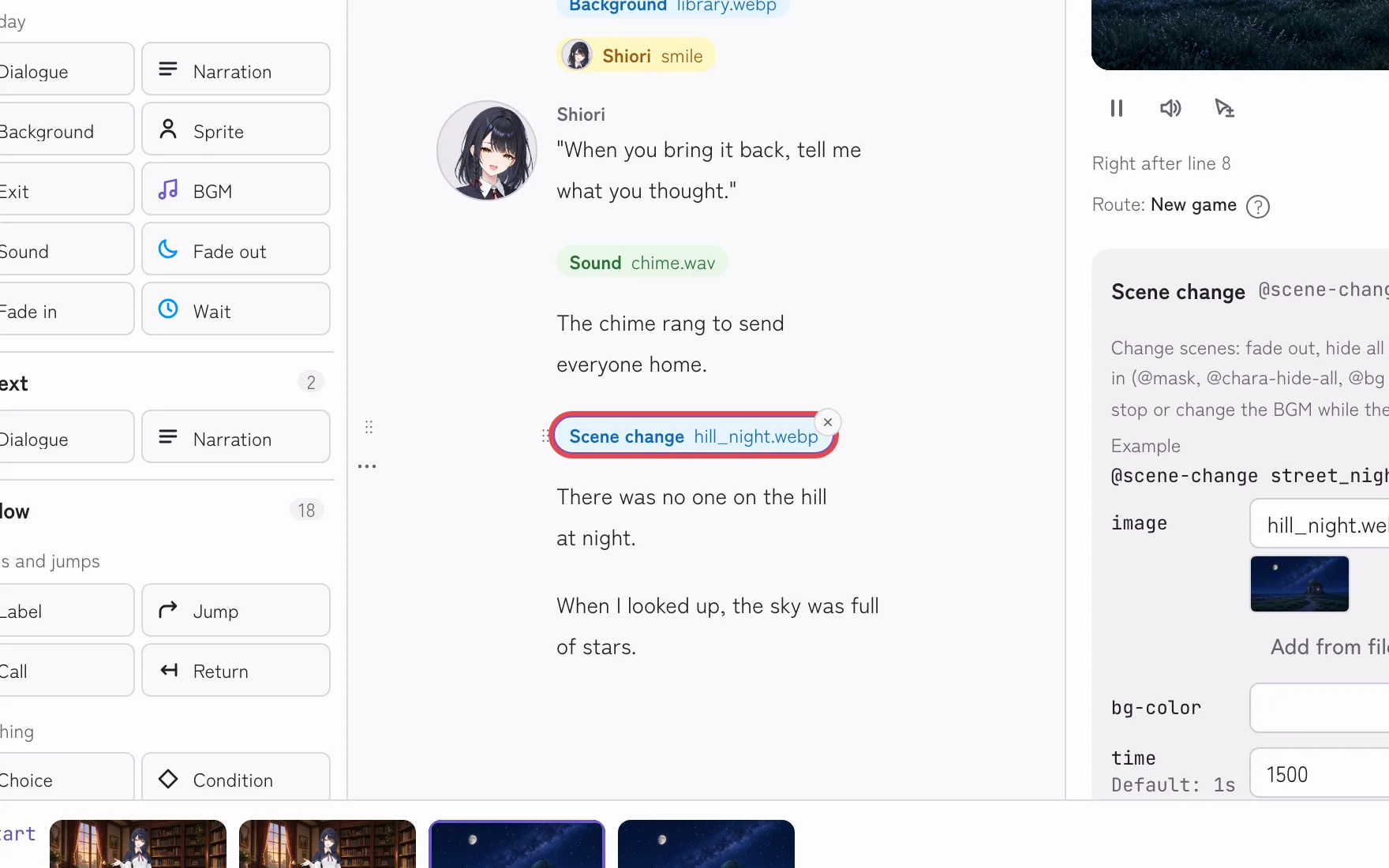
In the block view, the “Scene change” tag shows the name of the background.
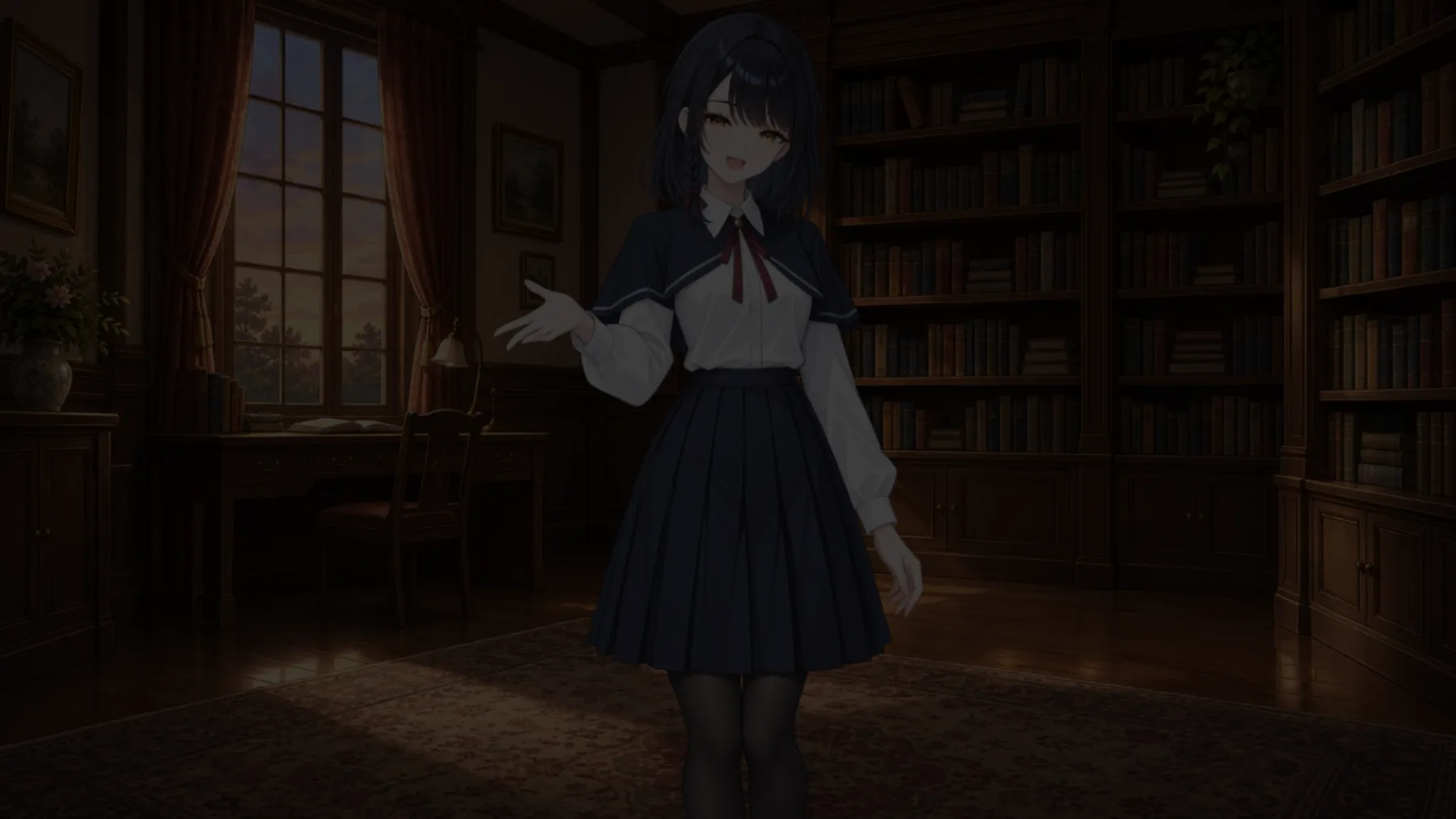
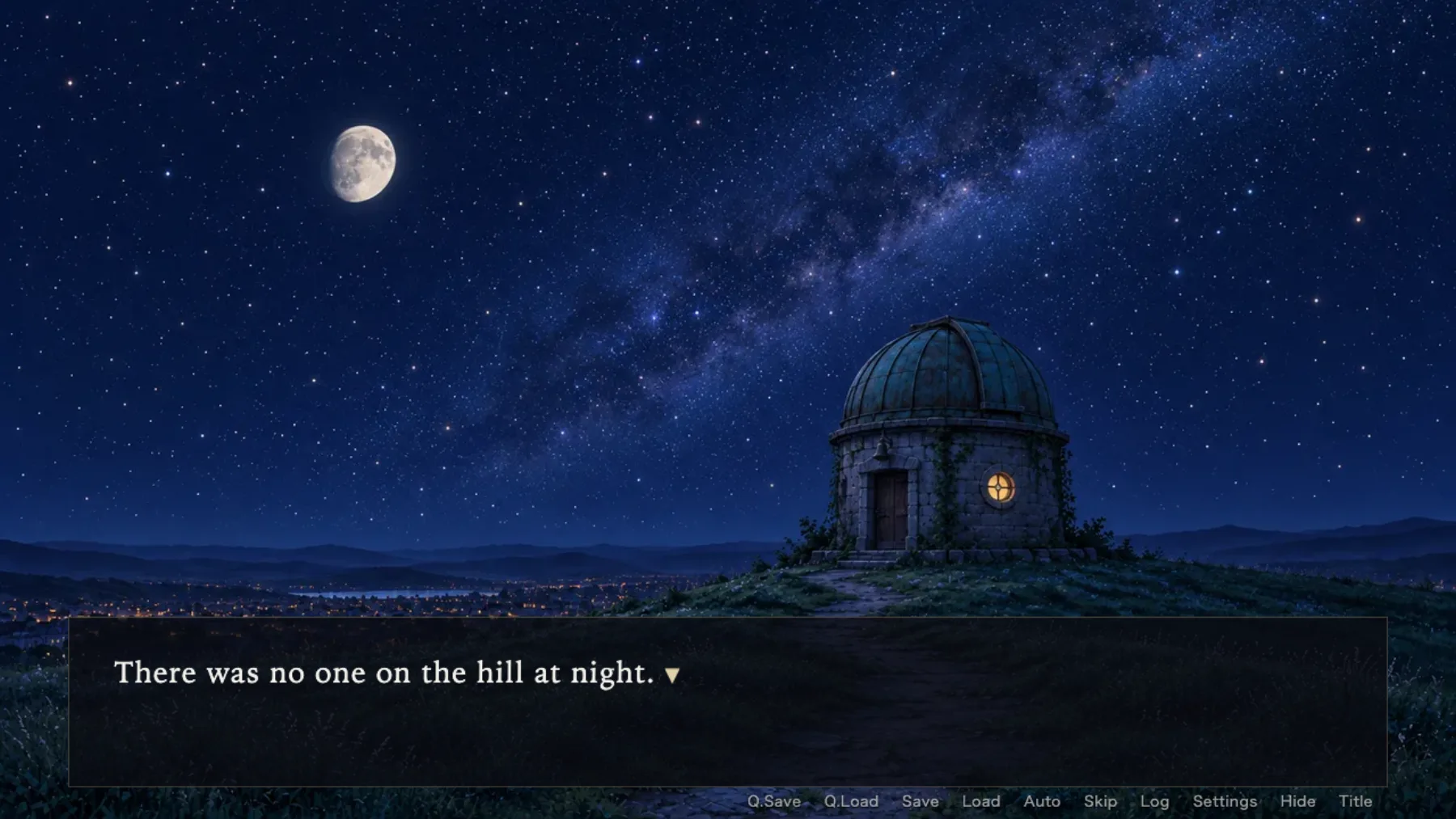
In the game, the screen goes dark and the sprites disappear, and when it brightens, it’s the hill at night. The message window is hidden once the screen is dark, and appears again with the next text.
Stop or change the BGM while the screen is dark
- Click the “Scene change” tag to select it, then click it again to show its parameters in the panel on the right.
- To stop the BGM, check
stop-bgm. To change it, choose a track inbgm. - In
bgm-fade, enter the time for the old track to fade out and for the new track to fade in.
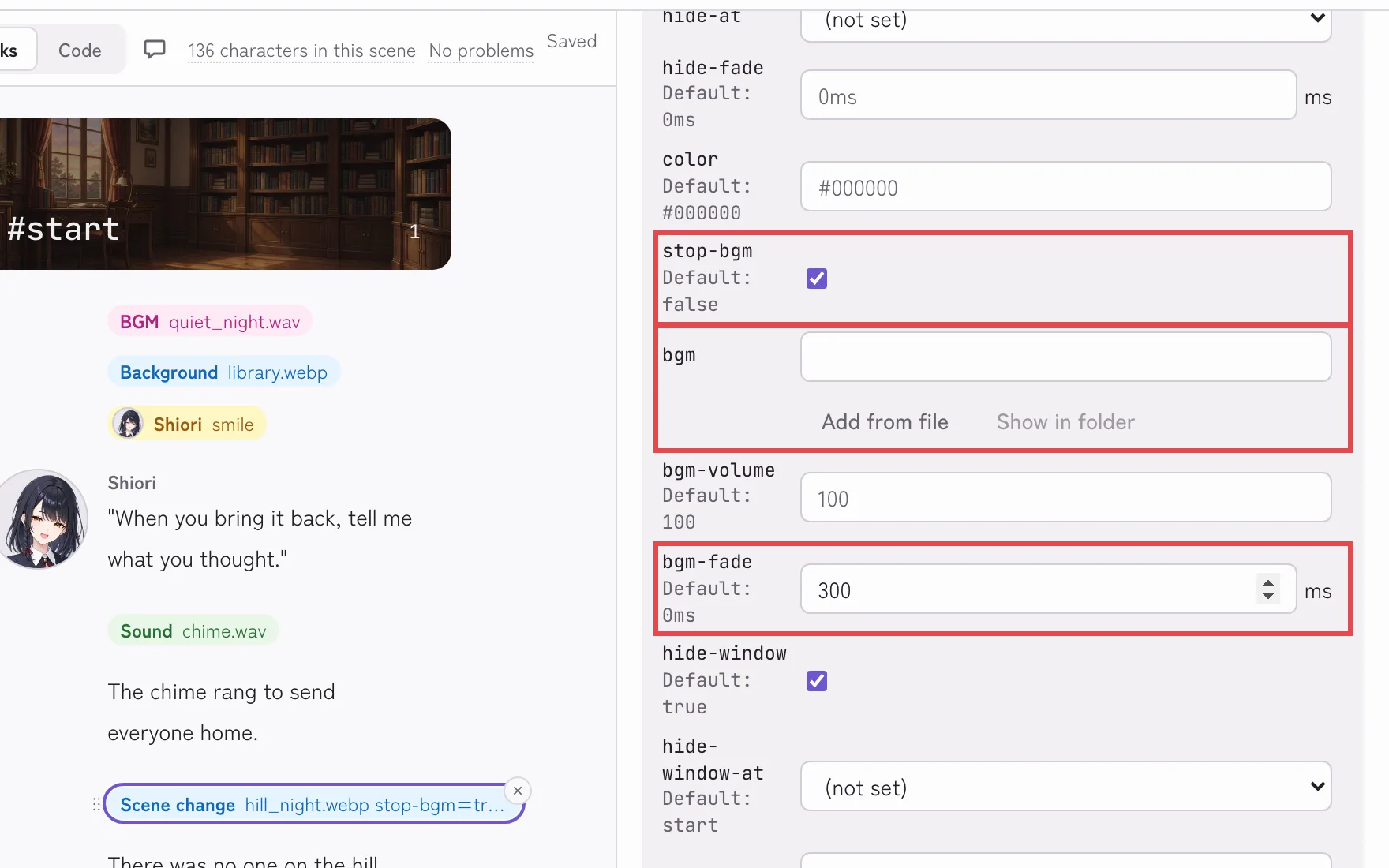
Either one starts once the screen has gone dark. A track set with bgm loops at volume 100. To set the volume or the loop points, place a separate BGM part after the scene change.
Other parameters
| Parameter | What it sets | Default |
|---|---|---|
| fade-out, fade-in | Set the fade out and fade in times separately | Same as time |
| hold | Time to stay dark | 0ms |
| color | Color of the fade | Black |
| hide-window | Hide the message window once the screen is dark | Checked |
If you leave image empty, the background stays as it is and only the sprites are hidden.
If you always fade out with the same time in your project, set time of @scene-change in Command defaults, and you won’t have to enter it every time.
In code
@scene-change hill_night.webp time=1500ms
@scene-change hill_night.webp stop-bgm=true bgm-fade=300ms
@scene-change hill_morning.webp bgm=quiet_night.wav
For details, see @scene-change.