

Roll the staff credits
On this page
You can roll the staff credits in the ending just by writing their content between the staff roll command (@staff-roll) and @end. The game doesn’t go on to the next line until the credits finish scrolling.
The examples on this page use the project you make in the tutorial, “Shiori of the Library.”
Write the content
A staff roll’s content runs to many lines, so write it in the code view.
- Select the last line of the ending, and click “Code” at the top.
- On the next line, write
@staff-roll time=30s bg=#000000, then the content below it, and@endat the end.
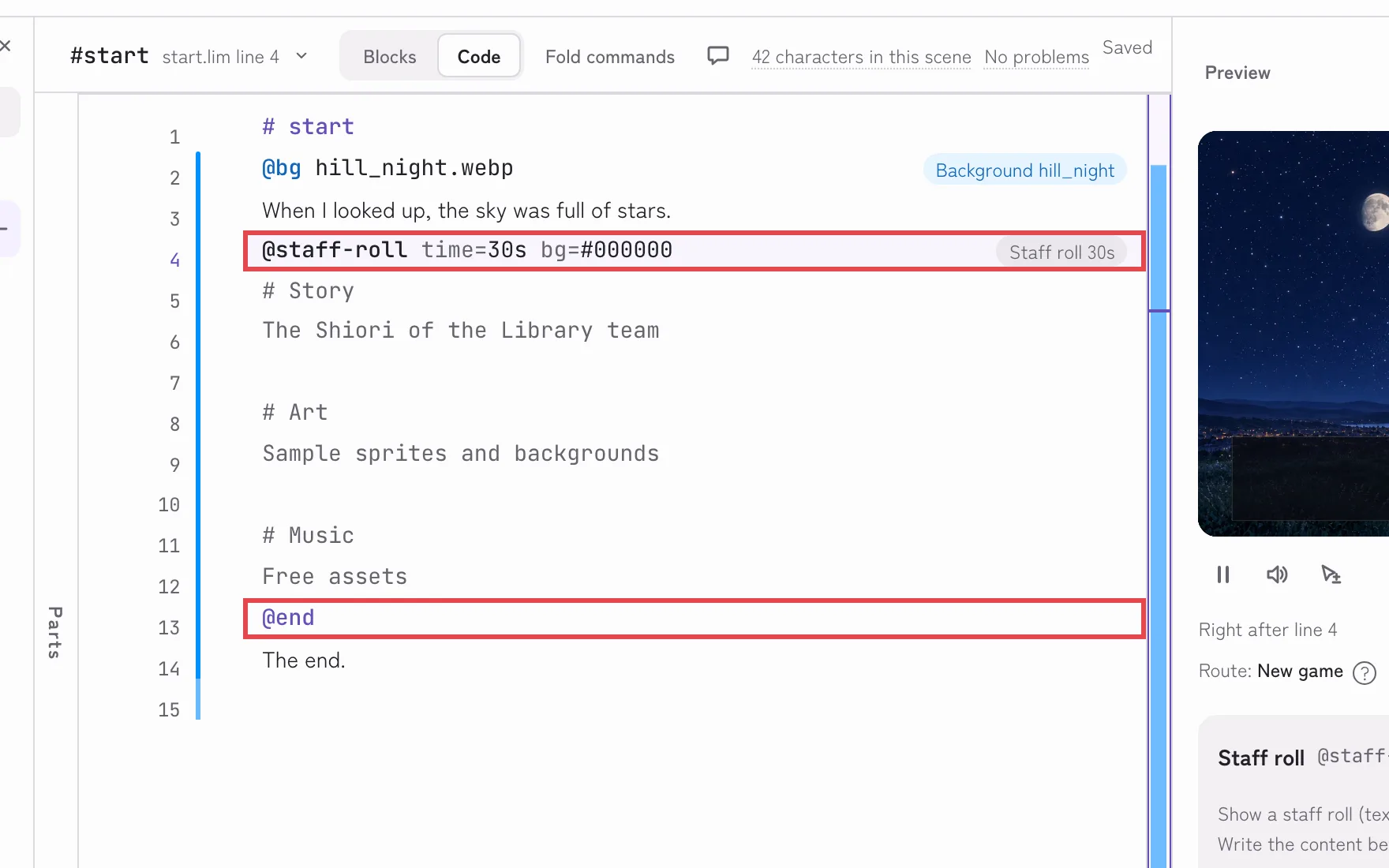
| Content line | What appears |
|---|---|
# Heading | A heading, such as a role |
| Text such as names | The text as it is |
| Empty line | A gap |
{img logo.png}, {img logo.png 120} | An image (from the “Images” assets; the number is the height in px) |
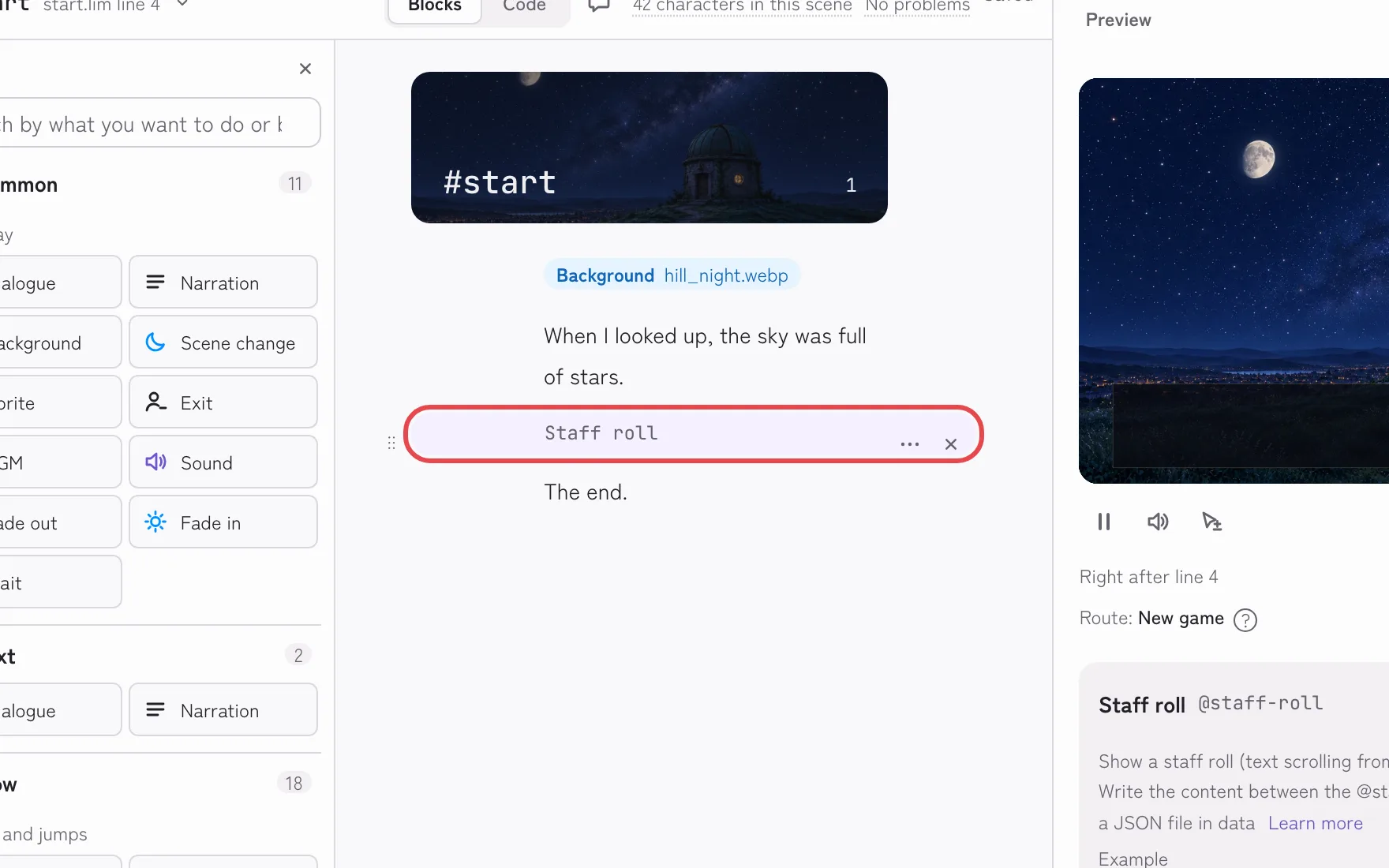
In the block view, the content is shown together in one card.
Check it by playing
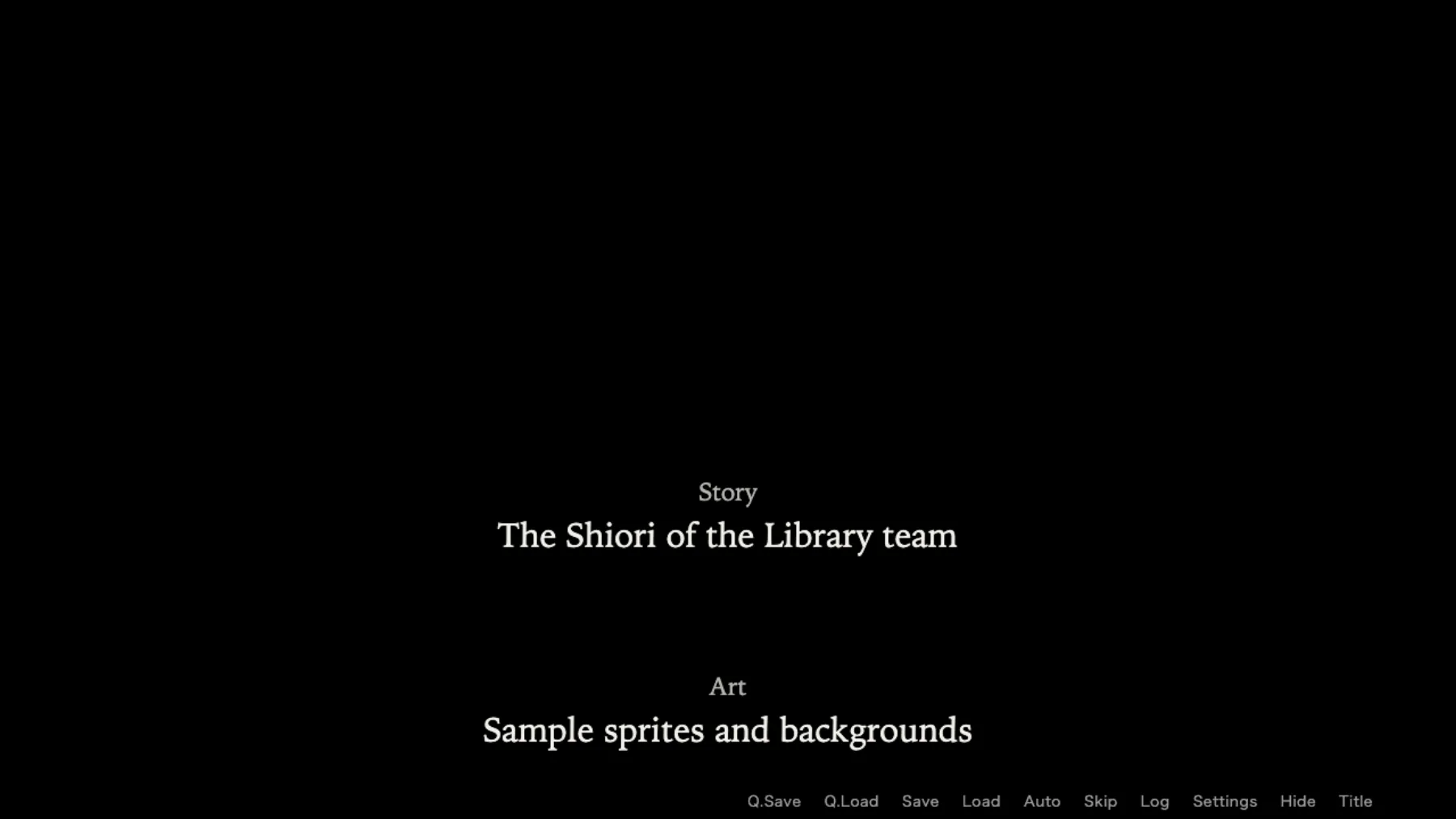
Headings and names scroll from the bottom to the top over a black background.
| Parameter | What it sets | Default |
|---|---|---|
| time | Time to finish scrolling | 60s |
| bg | The color laid behind it (write it like #000000cc to make it translucent) | None |
| fade | Fade time at the start and after it finishes scrolling | 1s |
| skip | Lets a click skip to the end | On |
To keep players from skipping it with a click, write skip=false. While skipping, the game moves on without scrolling.
Put the content in a separate file
For a long staff roll, write the content lines as an array of strings in a JSON file in the data folder, and point to it with file=. In this case, don’t write @end.
["# Story", "The Shiori of the Library team", "", "# Music", "Free assets"]@staff-roll file=credits time=90s bg=#000000In code
@staff-roll time=30s bg=#000000
# Story
The Shiori of the Library team

# Art
Sample sprites and backgrounds

# Music
Free assets
@end
For details, see @staff-roll.