

Shake the screen
On this page
The Screen shake part shakes the background and sprites. Use it for an earthquake, a loud noise or the moment of a collision. To have the shaking settle little by little, use the part for a shake that gradually dies down.
Shake the screen
- Select the text block just before where the screen should shake (here, “On the way home, I walked down the hill, holding the book to my chest.”).
- Type “shake” in the search box at the top of the parts panel, and double-click “Screen shake” in the results.
- In the parameter panel on the right, enter the length of the shake (
time, in milliseconds), the number of shakes (count), and the horizontal and vertical amplitude (horizontalandvertical, in px). Here, enter800,6,20and20.

As the story moves to the next text, the screen shakes 6 times within 0.8 seconds. To check how it shakes, select the line and watch the preview on the right.
| Parameter | What it sets | Default |
|---|---|---|
| time | Length of the shake | 300ms |
| count | Number of shakes | 5 |
| horizontal | Horizontal amplitude (px) | 0 |
| vertical | Vertical amplitude (px) | 10 |
| wait | Wait until the shaking stops before continuing | Checked |
With Screen shake, the message window doesn’t shake. Uncheck wait, and the next text appears while the screen is still shaking.
Shake that gradually dies down
This shake starts big and settles little by little. The message window shakes too.
- Select the text block just before where the screen should shake (here, “Just then, the ground shook hard beneath my feet.”).
- With “shake” still in the search box, double-click “Fading shake” (
@quake-decay). - Enter
1500intime, and the starting amplitude60invertical.
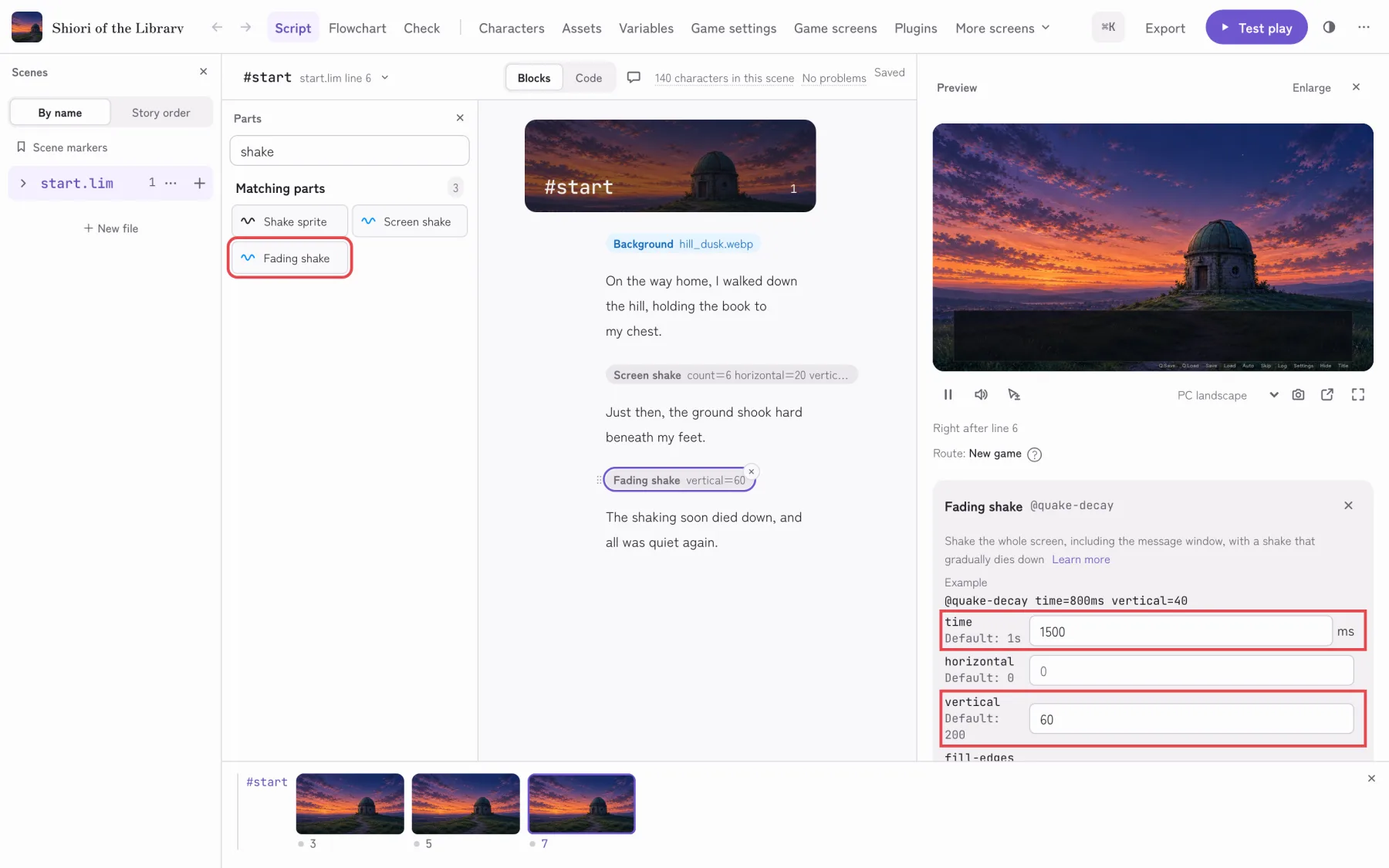
The shaking dies down over 1.5 seconds. The screen edges exposed by the shaking are filled with a copy of the background (fill-edges; uncheck it to leave them unfilled).
The default for vertical is a large 200, so enter a small value for a gentle shake.
If a player sets “Screen shake” to “Reduced” in Config, the screen doesn’t shake.
In code
On the way home, I walked down the hill, holding the book to my chest.
@quake time=800ms count=6 horizontal=20 vertical=20
Just then, the ground shook hard beneath my feet.
@quake-decay time=1500ms vertical=60
The shaking soon died down, and all was quiet again.
For details, see @quake and @quake-decay.