

Add expressions and switch between them
On this page
Sprites with different expressions or poses are added as “variants” of a character. Once added, a variant can be chosen with variant in the sprite block.
The examples on this page use the English sample story, “Waiting for Stars” (choose “A sample story” and English in New Project, or run lim new --lang en; the characters are Akari and Sou).
Add a variant
- Open “Characters” at the top, and choose a character from the list on the left.
- Click “Add a variant” at the end of the “Expressions” row, and choose an image. You can also drag images onto this row.
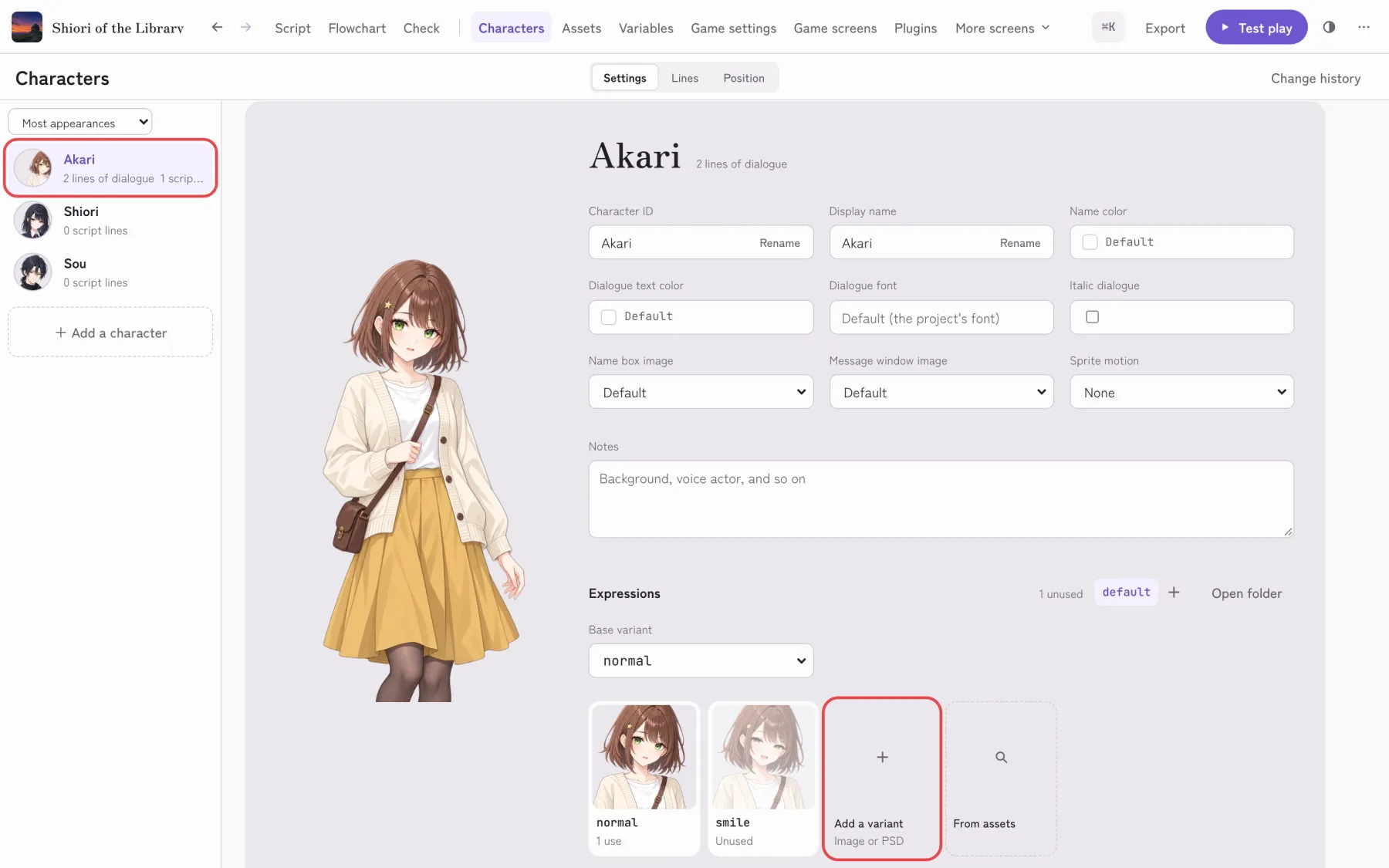
The image is saved in the same folder as the character’s other images, and its file name (without the extension) becomes the name of the variant. Its position and size are matched automatically to the image of the base variant.
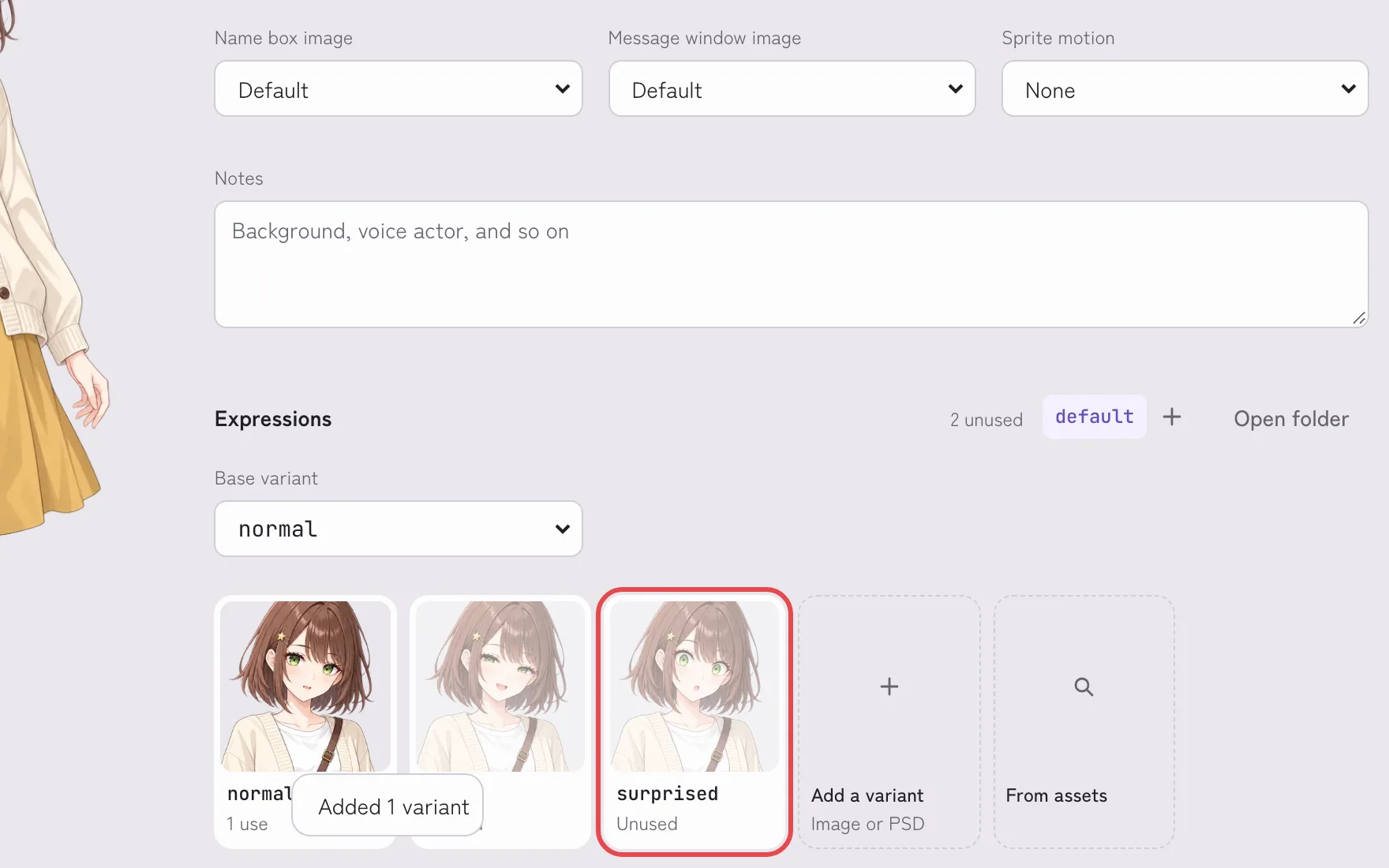
Click a variant to open more settings below it, where you can rename or delete the variant. If its position or size is off, click “Adjust position” and fix it as described in Adjust sprite position and size.
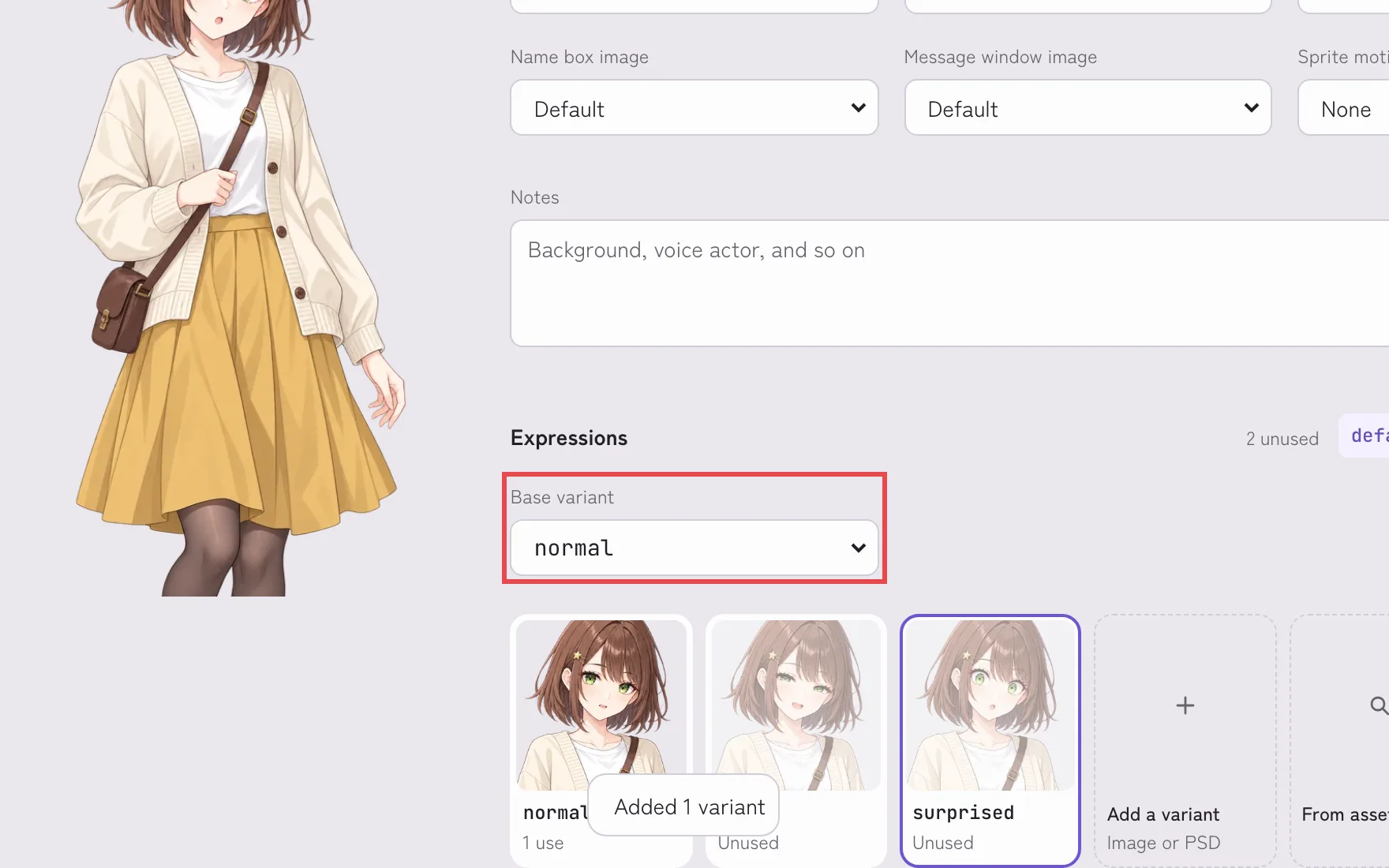
Choose the base variant
When a character has two or more variants, “Base variant” appears below “Expressions.” The variant chosen here is used when a sprite is shown without a variant. If none is chosen, normal is used if there is one, then default, then the first variant in the row.
Change only the expression
To change only the expression while the sprite stays on screen, you also use the sprite block.
- Select the line just before the dialogue where the expression should change, and double-click “Sprite” in the parts panel.
- In the panel on the right, set
whoto “Akari,” and click “surprised” in the faces ofvariant. Leaveatas “(not set).” - For a smooth change, enter a time (in milliseconds) in
time.
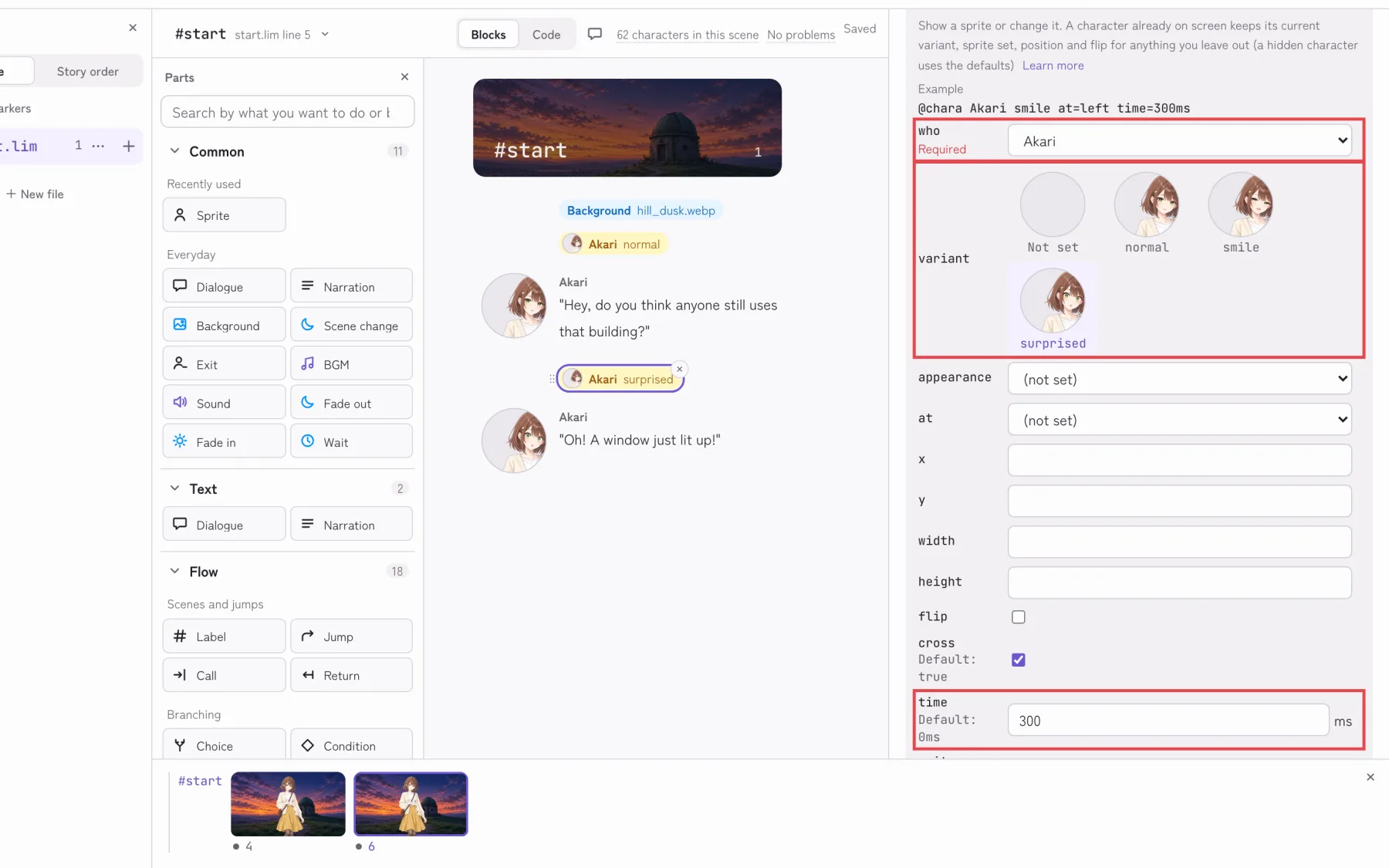
A character on screen keeps the position, sprite set and flip you don’t specify, so only the expression changes, in the same place.
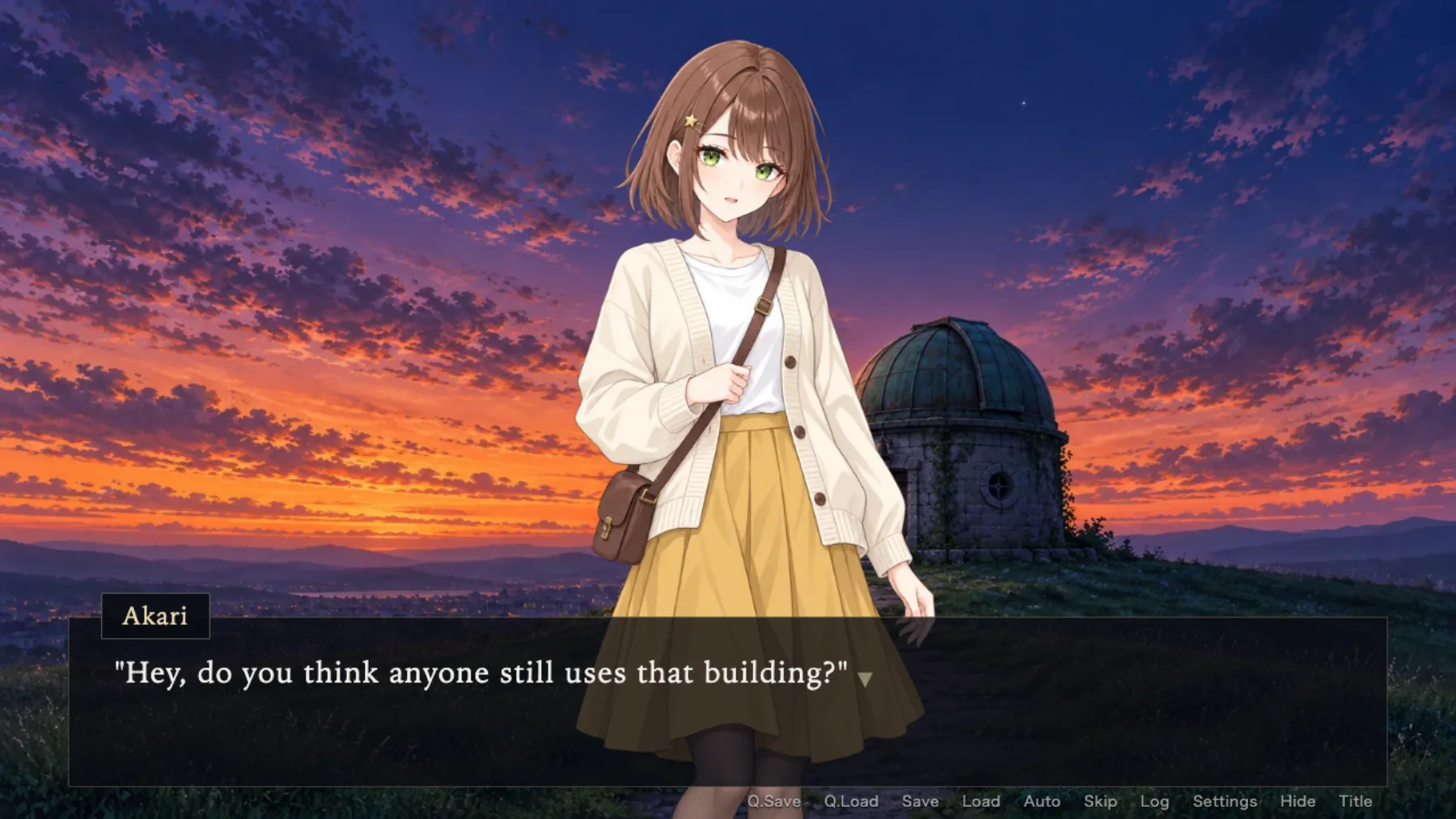
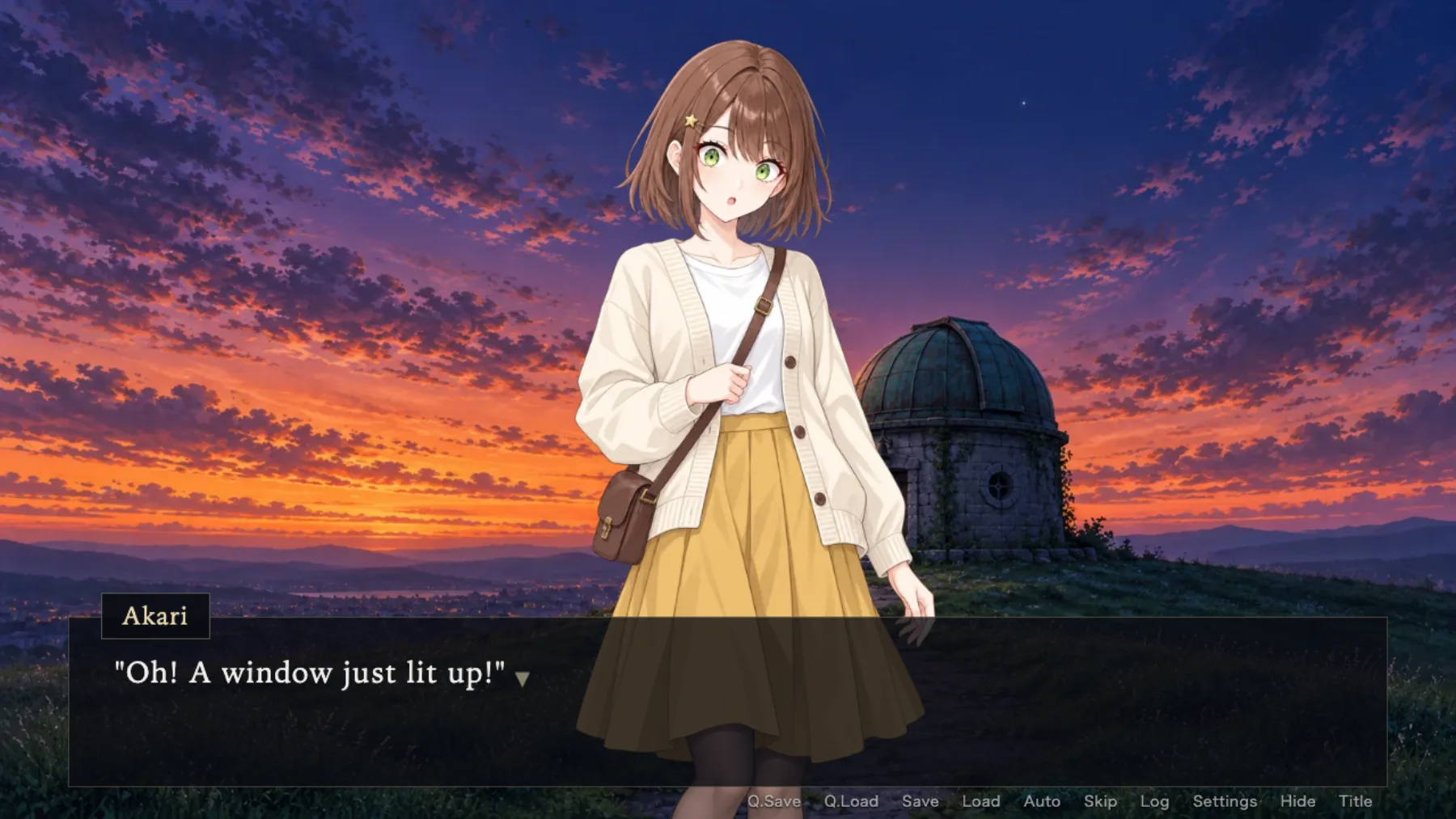
When cross is checked (the default), the old and new expressions are overlapped as they change.
In code
@chara Akari normal
Akari "Hey, do you think anyone still uses that building?"
@chara Akari surprised time=300ms
Akari "Oh! A window just lit up!"
The full list of parameters is in @chara.