

Reuse scenes and effects
On this page
Scenes that come up again and again, and effects you always use in the same combination, can be written in one place and reused.
The examples on this page use the project you make in the tutorial, “Shiori of the Library.”
- To reuse a scene, use call (
@call) and return (@return). When the called scene reaches@return, the story goes back to the line after the call. - To reuse a combination of commands, make a macro (
@define). You use a macro the same way as a command, and you can pass it parameters.
Here you create a file common.lim to hold the things you reuse, call the same scene from the tutorial’s two routes, and turn ringing the door bell and pausing for a moment into a macro. For how to create files, see Split the script into several files.
Write the scene and macro to reuse
- In the scene list, use “New file” to create
common. - Click “Code” at the top, and write the following.
// Scenes and macros used from every file

@define bell(volume: int = 100, time: duration = 600ms)
@se chime.wav volume=(volume)
@wait (time)
@end

# rules
@chara Shiori normal
Shiori "You can keep books for two weeks. If you need longer, just ask."
@return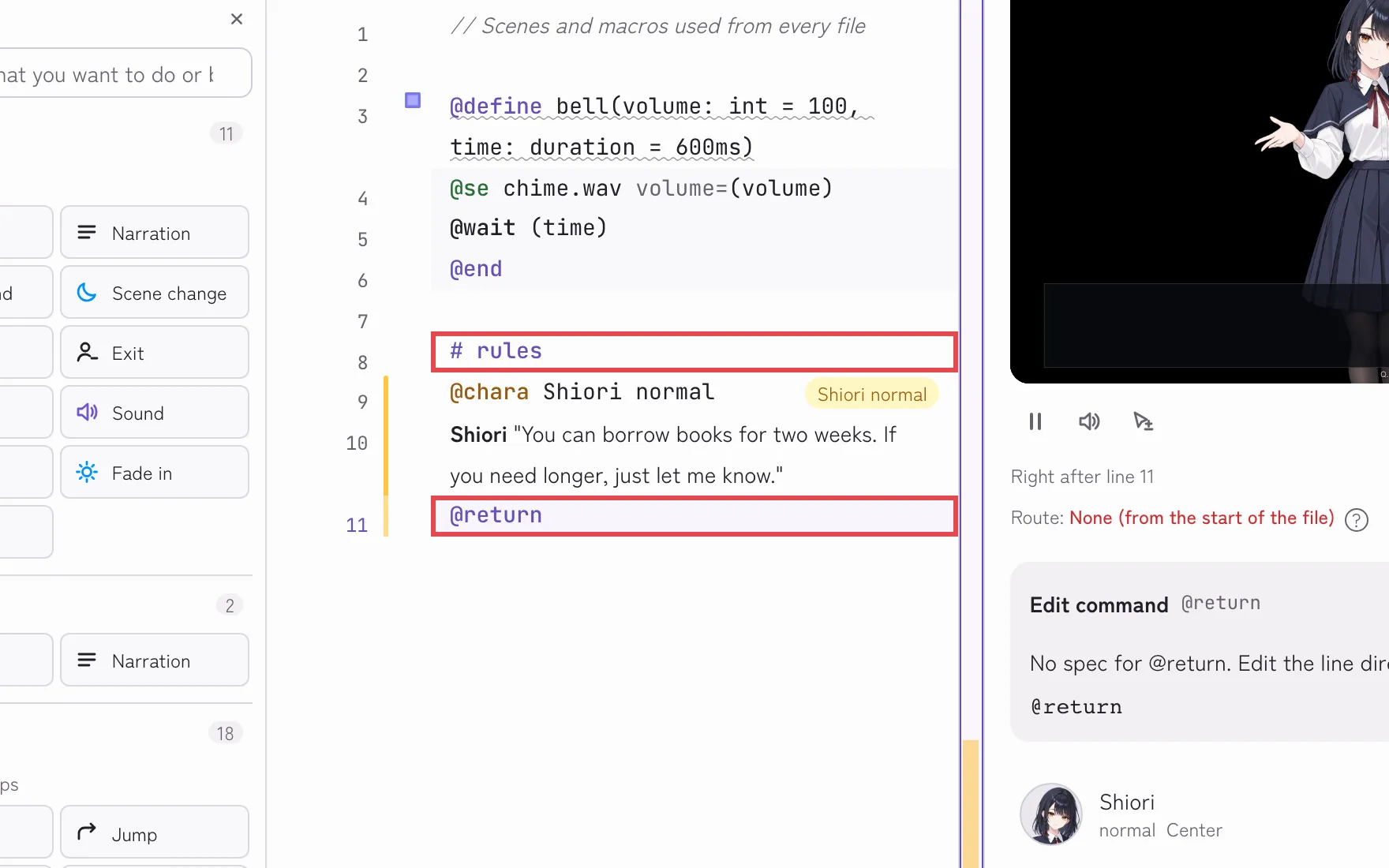
# rules is a scene meant to be called. The @return at the end goes back to where it was called from.
Everything from @define bell(…) to @end is the macro. Inside ( ), list the parameters as name: type, and set a default value with = value. The types are string (text), number (a number), int (a whole number), bool (true or false), duration (a time) and color (a color). Pass a parameter to the commands inside in the form (name). For repeating lines inside a macro, wrapping the caller’s text, or returning a value, see Repeat, wrap and return values with macros.
Call the scene
- In the scene list, open
start.lim, and in the block view select Shiori’s line “The star atlas? …” in# stars. - Double-click “Call” in the “Flow” section of the parts panel, change the input field to
@call common#rules, and press Enter. - Add the same line after Shiori’s line “Fairy tales…” in
# talesin the same way.
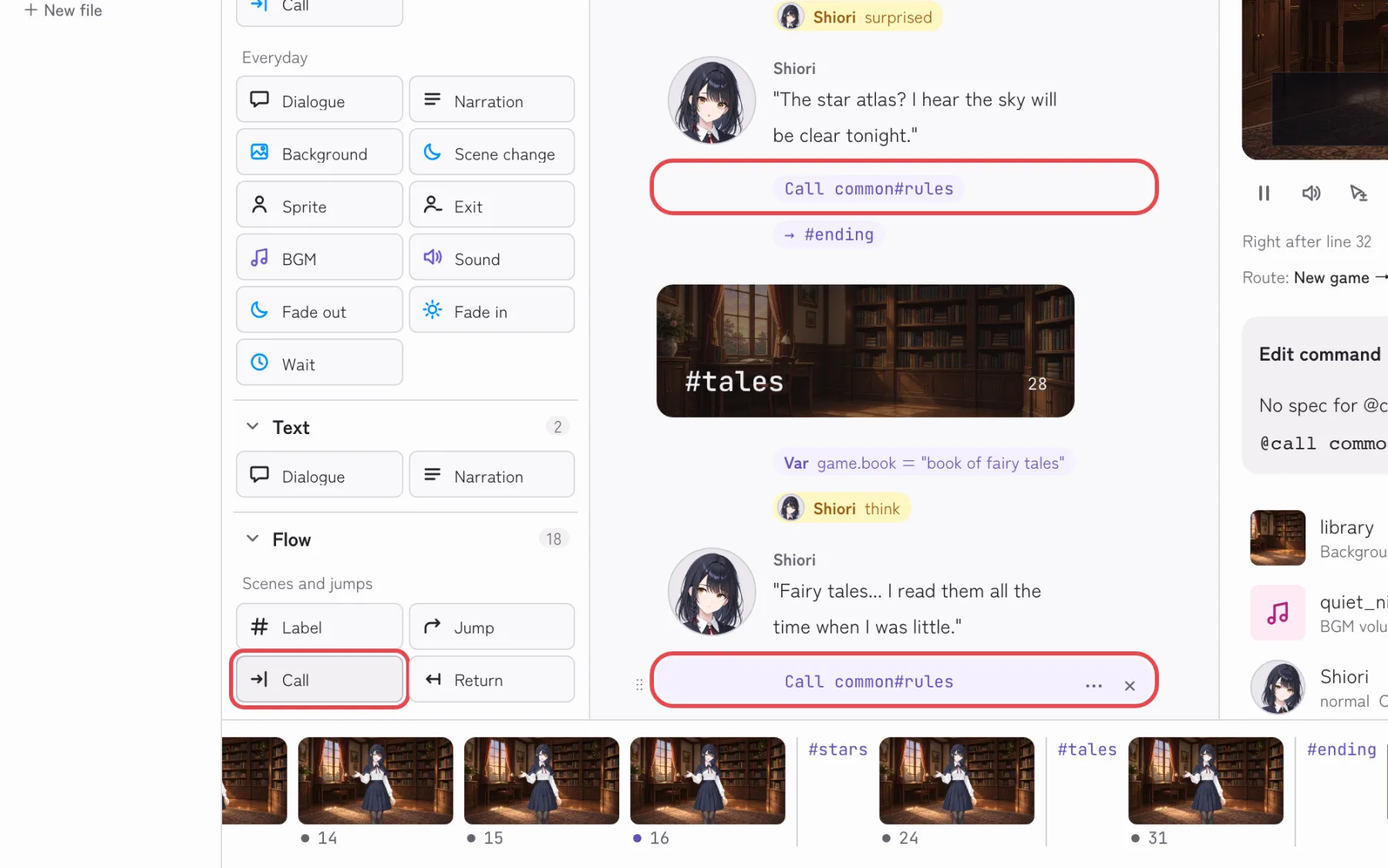
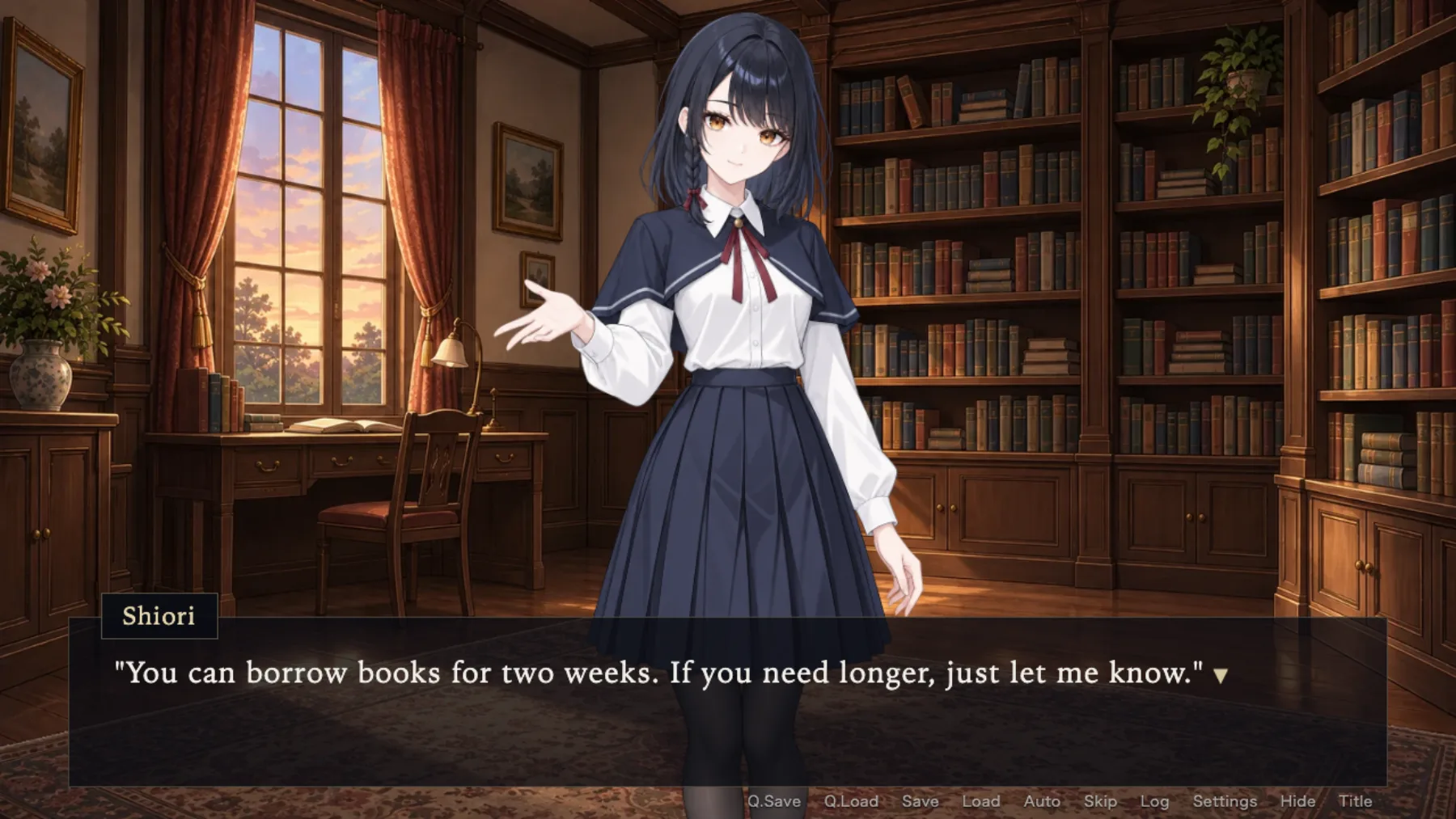
The jump target of @call is written the same way as for @jump (#label, file or file#label). On both routes, Shiori explains the rules, and then the story returns to the rest of that route.
Use the macro
To use a macro from another file, write @use file name near the top of the file. You can also add it with “Use macros” (@use), which appears when you type “macro” in the search box at the top of the parts panel. You make the macro itself with the “Macro” (@define) part, which adds the two lines @define and @end.
- Add an
@use commonline before# startinstart.lim. - In the ending (
# ending), replace the@se chime.wavline with@bell volume=60.
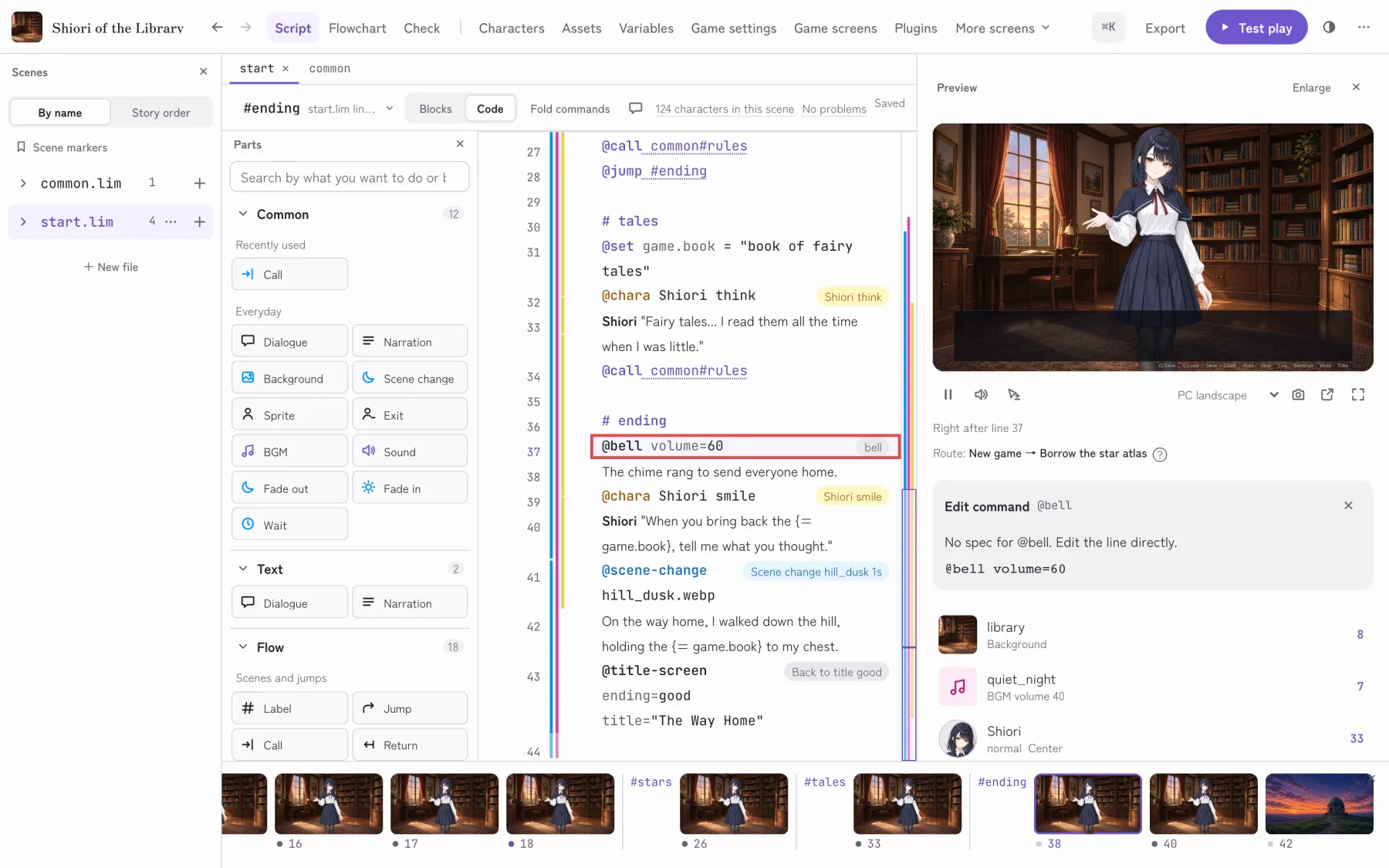
volume and time have default values, so you can leave them out. @bell alone rings at volume 100 and waits 0.6 seconds, and @bell volume=60 time=1s rings more softly and waits 1 second.
Make it a favorite part
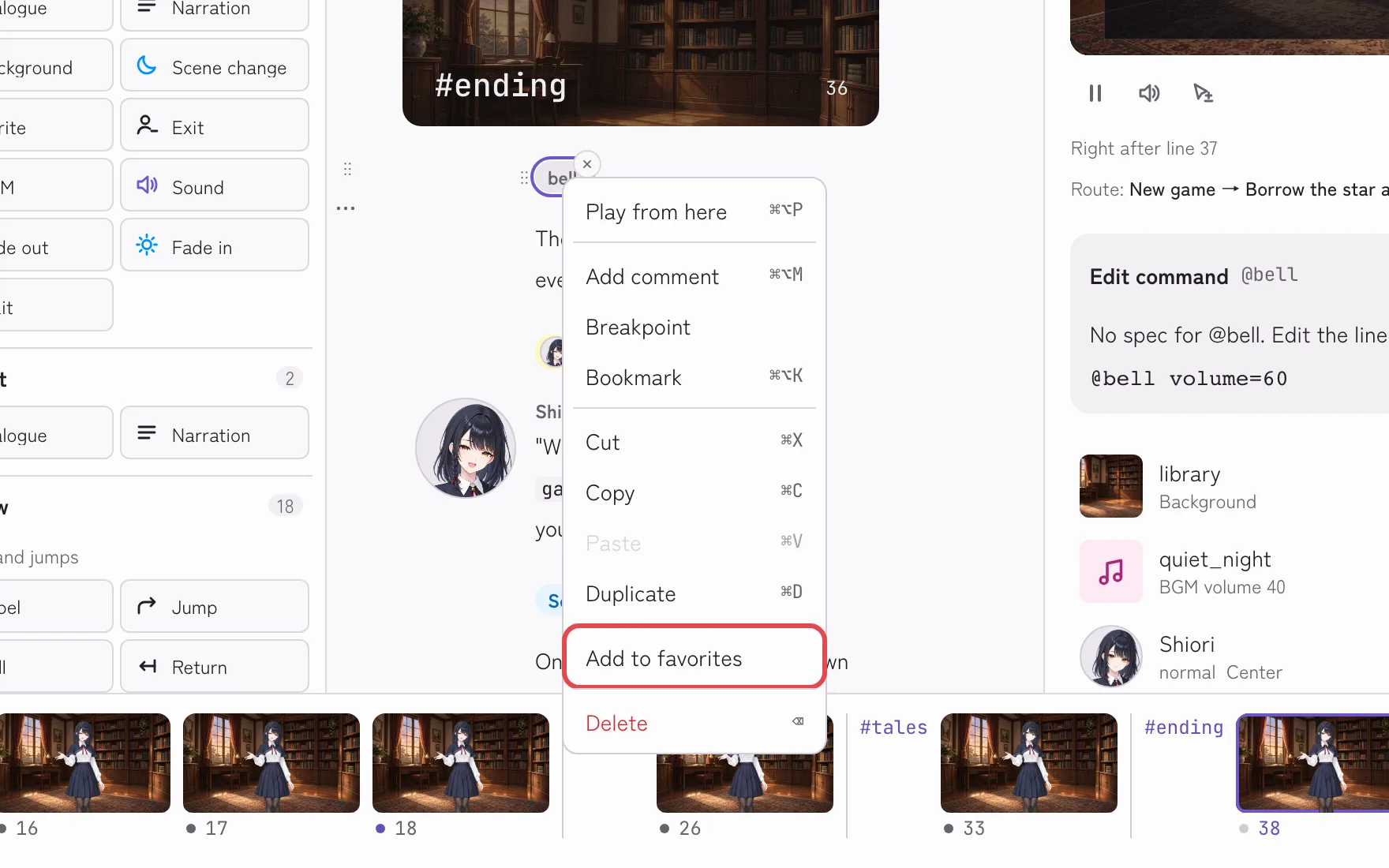
Add a line you use often to your favorites, and you can add it from the parts panel with a double-click.
- In the block view, right-click the tag of the macro line and click “Add to favorites.”
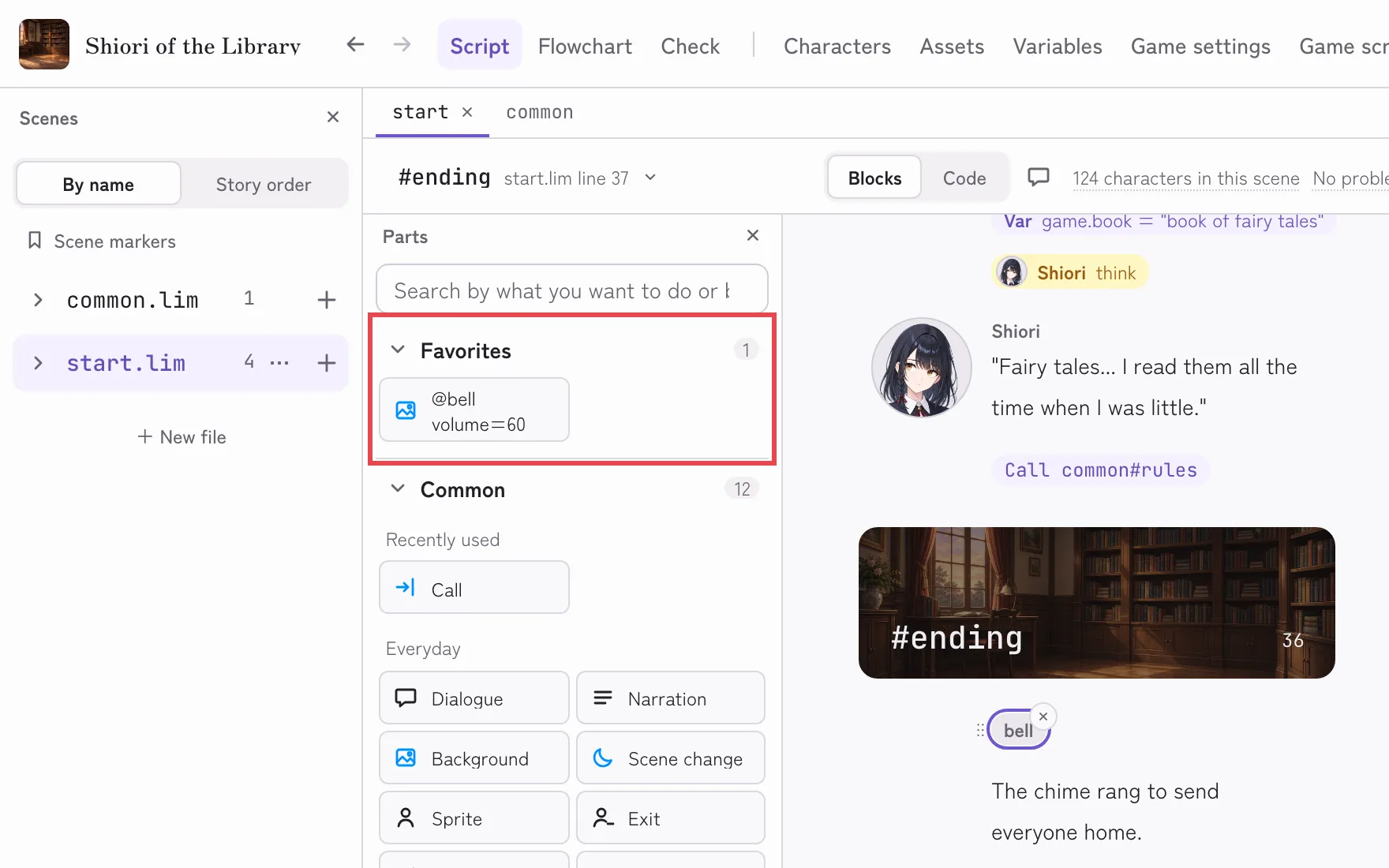
- A “Favorites” section appears at the top of the parts panel, listing that line. As with other parts, select a line and double-click the favorite to add the same line after the selected line.
Clicking the tag of a macro line doesn’t show parameter fields in the right panel. To change the values, edit the line directly in the code view. To remove it from your favorites, right-click the part and click “Remove from favorites.”
In code
// common.lim
@define bell(volume: int = 100, time: duration = 600ms)
@se chime.wav volume=(volume)
@wait (time)
@end

# rules
@chara Shiori normal
Shiori "You can keep books for two weeks. If you need longer, just ask."
@return
// start.lim
@use common
# stars
@set game.book = "star atlas"
@chara Shiori surprised
Shiori "The star atlas? I hear the sky will be clear tonight."
@call common#rules
@jump #ending
…
# ending
@bell volume=60
The chime rang to send everyone home.