

Check the scenario in CI
On this page
If you manage your project on GitHub, you can automatically run the scenario check, the script tests, and a check that plays the exported game to the end, on every push and PR. When there’s a problem, its line is marked in the PR’s diff view.
Add the template
- Copy
templates/ci/liminalia-check.ymlfrom the engine repository into.github/workflows/in your project’s repository. For a new project,lim new <folder> --cialso puts it there. - The engine is taken from the engine repository (
skyt-a/liminalia). If the engine repository is private, put a token that can read it in secrets and use thetoken:line. - Commit and push.
The template does the following, in order.
- Gets the project (with its Git LFS assets) and the engine, and installs them with
npm ci lim check . --github --strict,lim fmt . --check,lim coverage .- Runs the script tests (
tests/*.limtest) withlim test . --github. When something isn’t as expected, that line of the test file is marked. If there are no tests, it does nothing - Installs Chromium, then exports the browser version and plays it to the end with
lim playtest . --rebuild --runs 2(if it gets stuck, the screenshot of that moment is kept as an artifact)
Run the check for CI
lim check --github --strict --lang en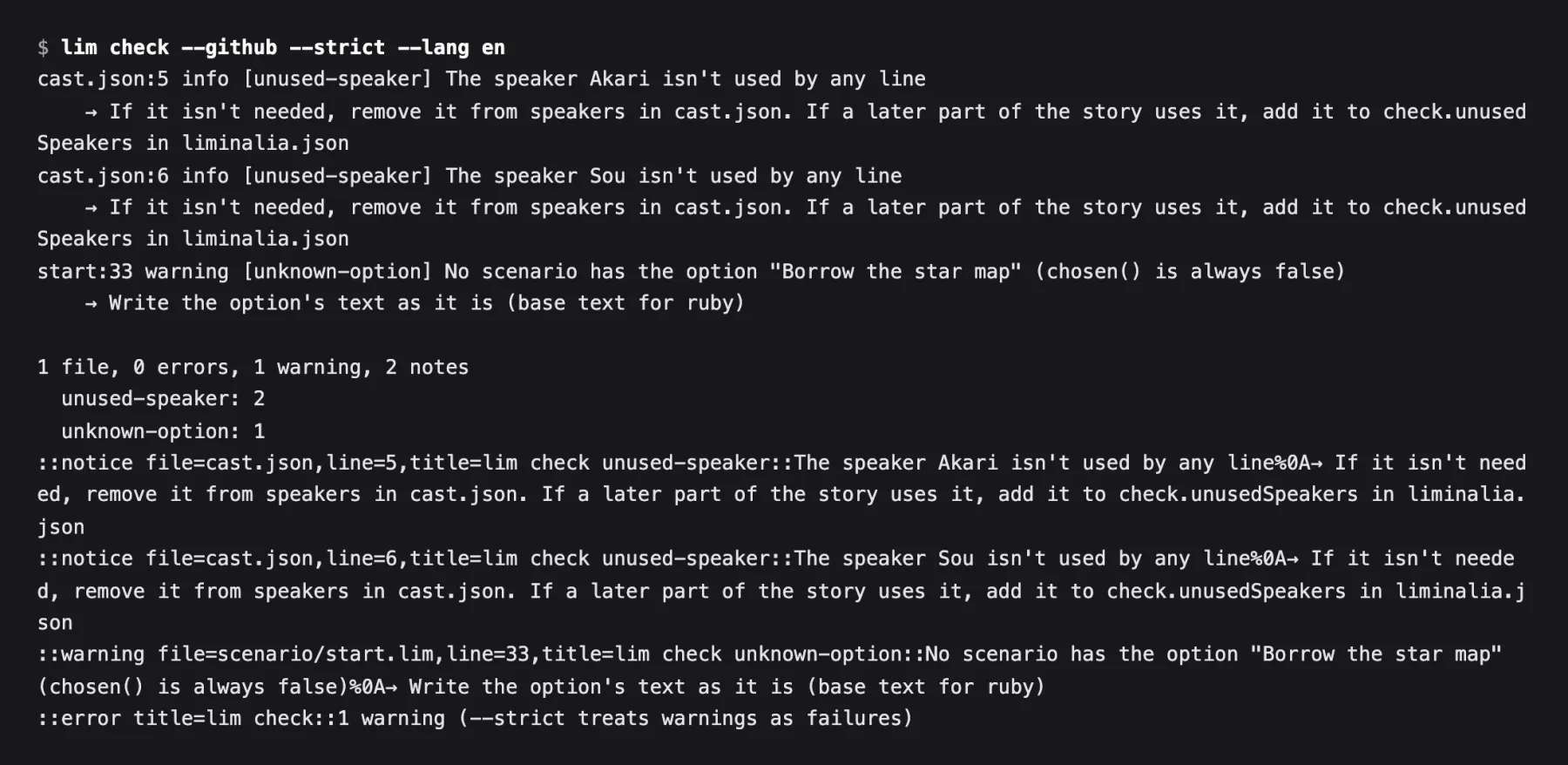
| Option | What it does |
|---|---|
--github | Also prints the problems it finds as GitHub Actions annotations (::error for errors, ::warning for warnings, ::notice for information) |
--strict | Fails even when there are only warnings |
Each annotation includes the file and line. In the PR’s diff view, errors and warnings appear next to the lines with problems. The suggested fix goes on the second line of the annotation. --lang en gives the messages in English. Without it, they are in Japanese.
--strict is meant for CI. The check before a normal export (lim build) still stops only on errors, as before.
Run every branch
lim coverage runs every file, choosing differently each time, and shows how much of the text was displayed. It also runs from “New Game” across files, carrying variables over, and shows which endings were reached and which weren’t.
For lim playtest, which plays the exported game to the end, see Play an exported game to the end automatically.