

Show or lock choices with conditions
On this page
On a choice line, you can write a condition for showing it (if=) and a condition for locking it (locked=). Here, the shelf choices change depending on whether the player has made a library card (the variable game.card). When the player makes a card, run @set game.card = true in an earlier scene (for how to set variables, see Change the ending with flags).
The examples on this page use the project you make in the tutorial, “Shiori of the Library.”
@choice
- The star atlas shelf -> #stars
- The fairy tale shelf -> #tales
- The shelf at the back of the stacks -> #archive
- The new arrivals shelf -> #new
@end
Show it locked
- In the block view, click the “The shelf at the back of the stacks” line on the choice card to select it.
- Click it again to open the input field for that line. The cursor is at the end of the line.
- Type a space followed by
locked=(!game.card), and press Enter.
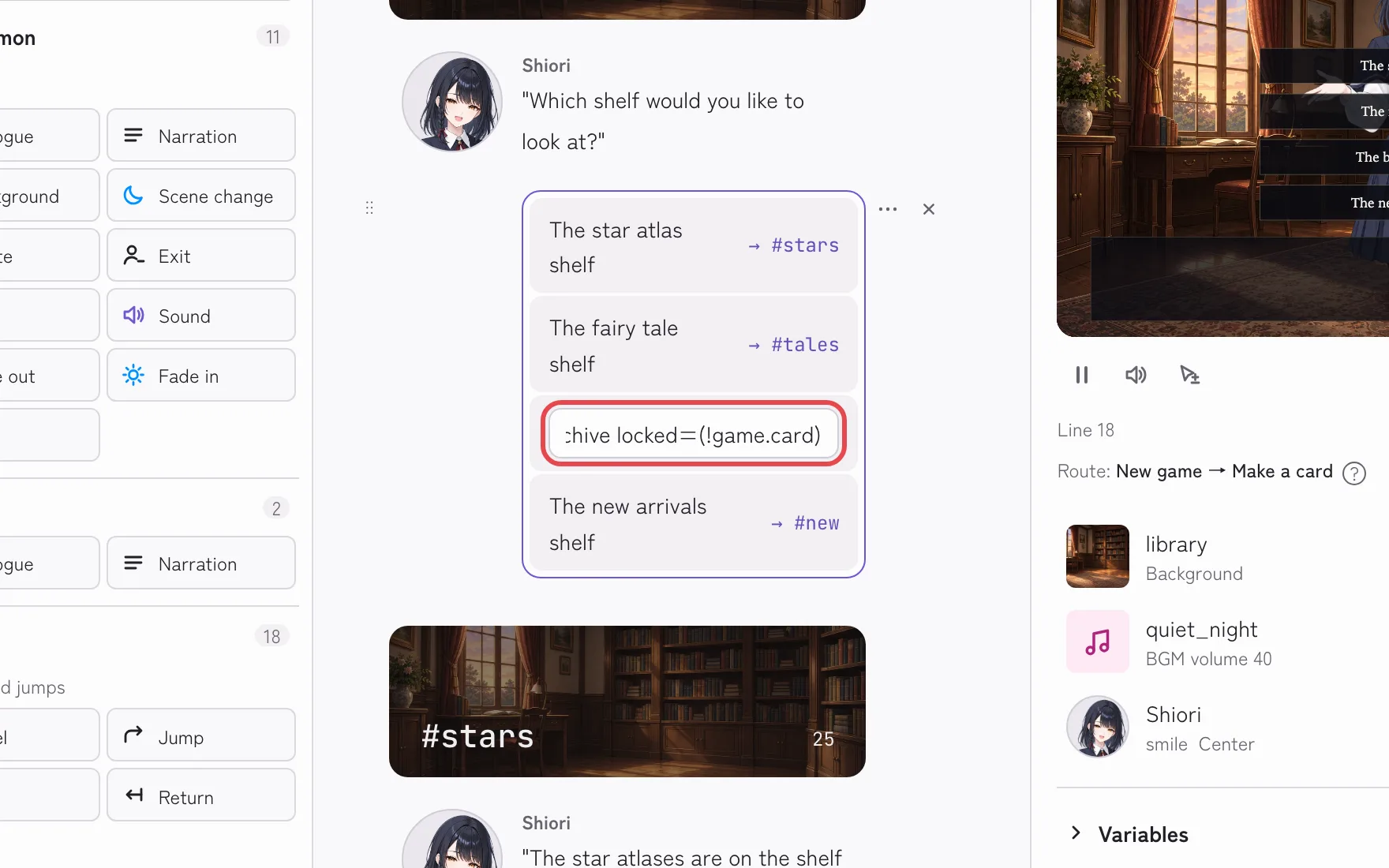
locked=(expression) makes the choice unclickable when the expression is true. !game.card means “game.card is not true,” so the choice can’t be clicked unless the player has made a card. Use this when you want to show that a condition hasn’t been met instead of hiding the choice.
Show it only when the condition is met
- In the same way, click the “The new arrivals shelf” line to select it, and click it again to open the input field.
- Add
if=(game.card)at the end of the line, and press Enter.
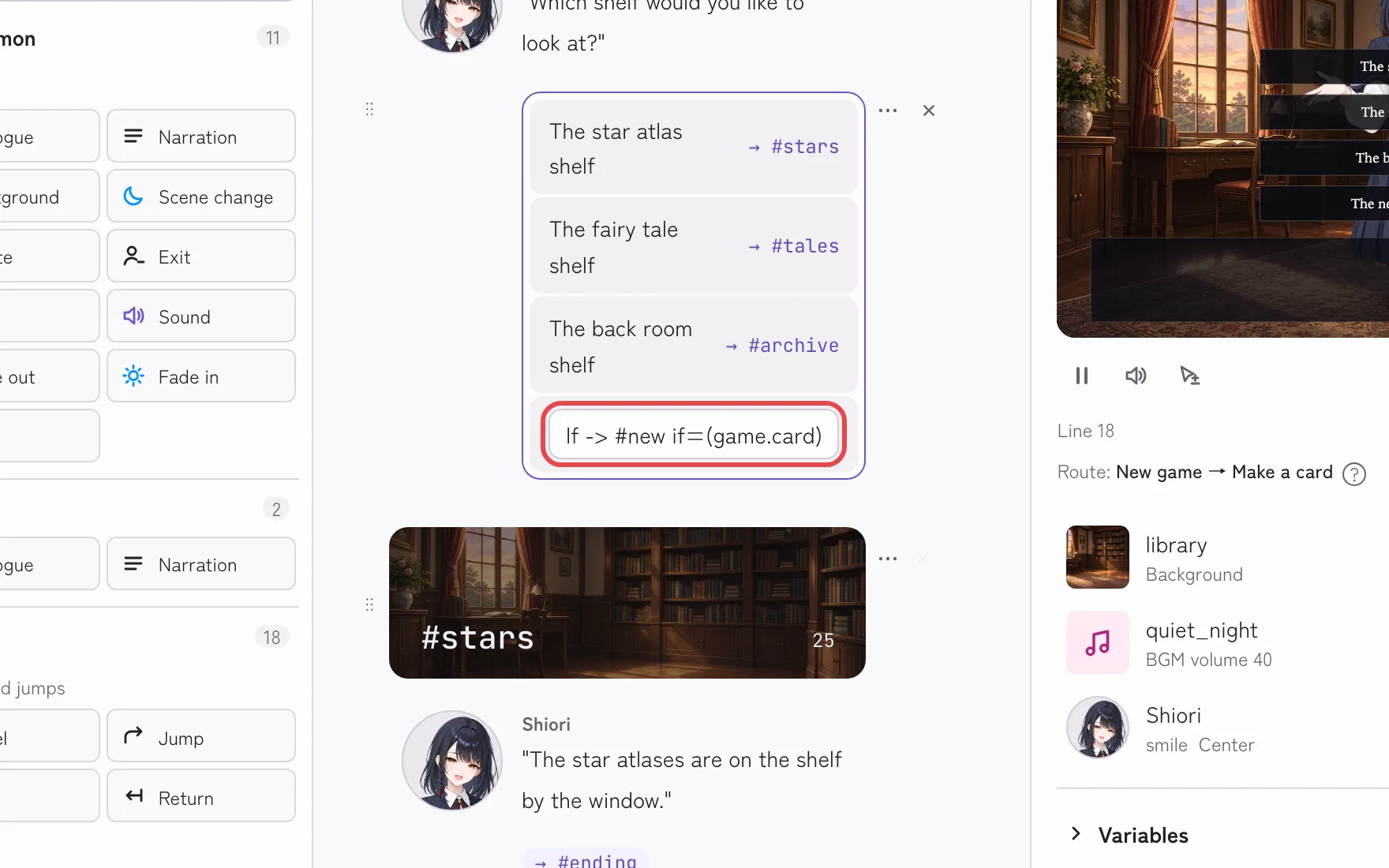
if=(expression) hides the choice when the expression is false. When a choice is hidden, the remaining choices close up the gap.
The choice card in the block view doesn’t show the conditions you added. To check them, switch to “Code.” Lines with if= show a condition tag on the right.
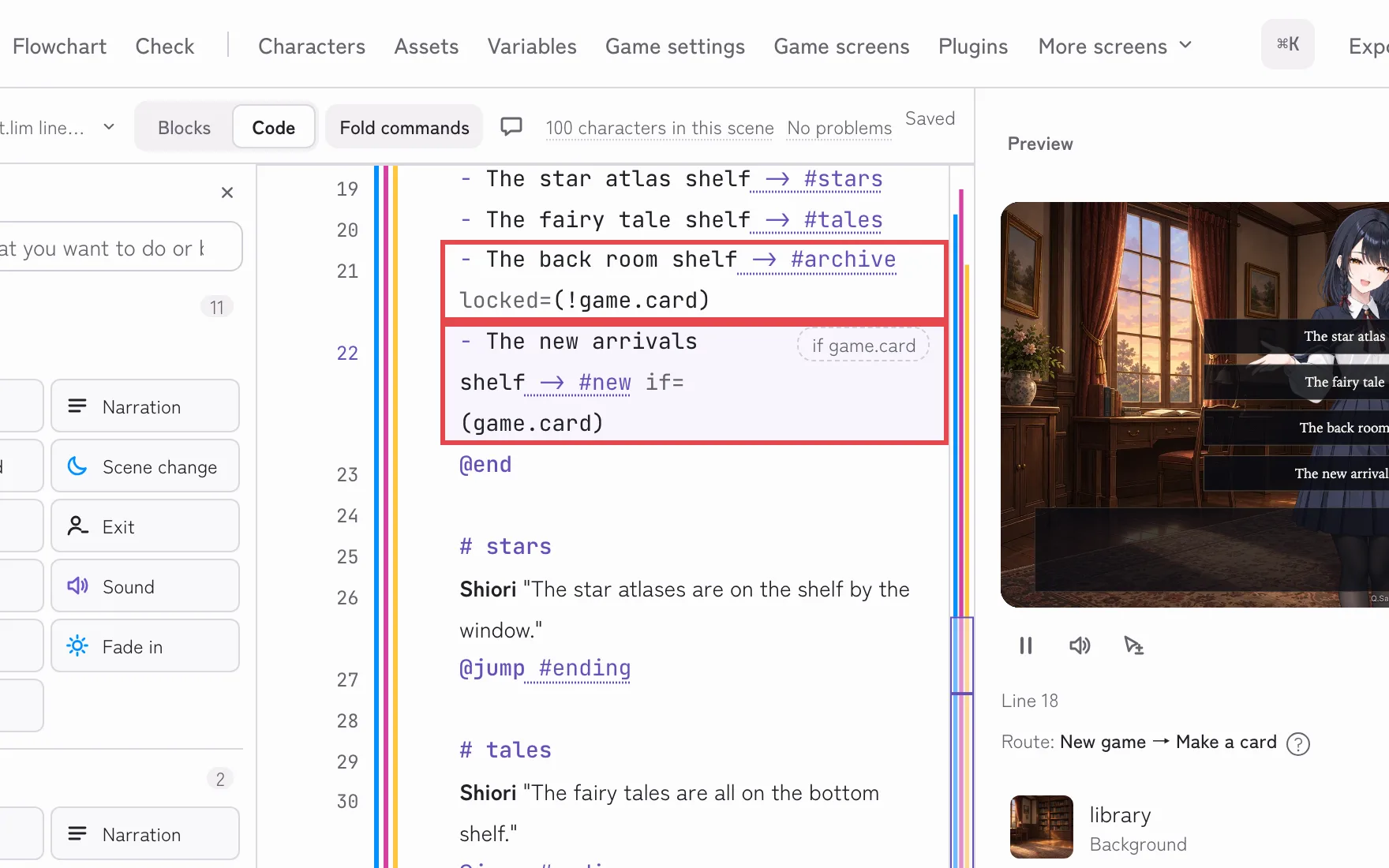
Check it by playing
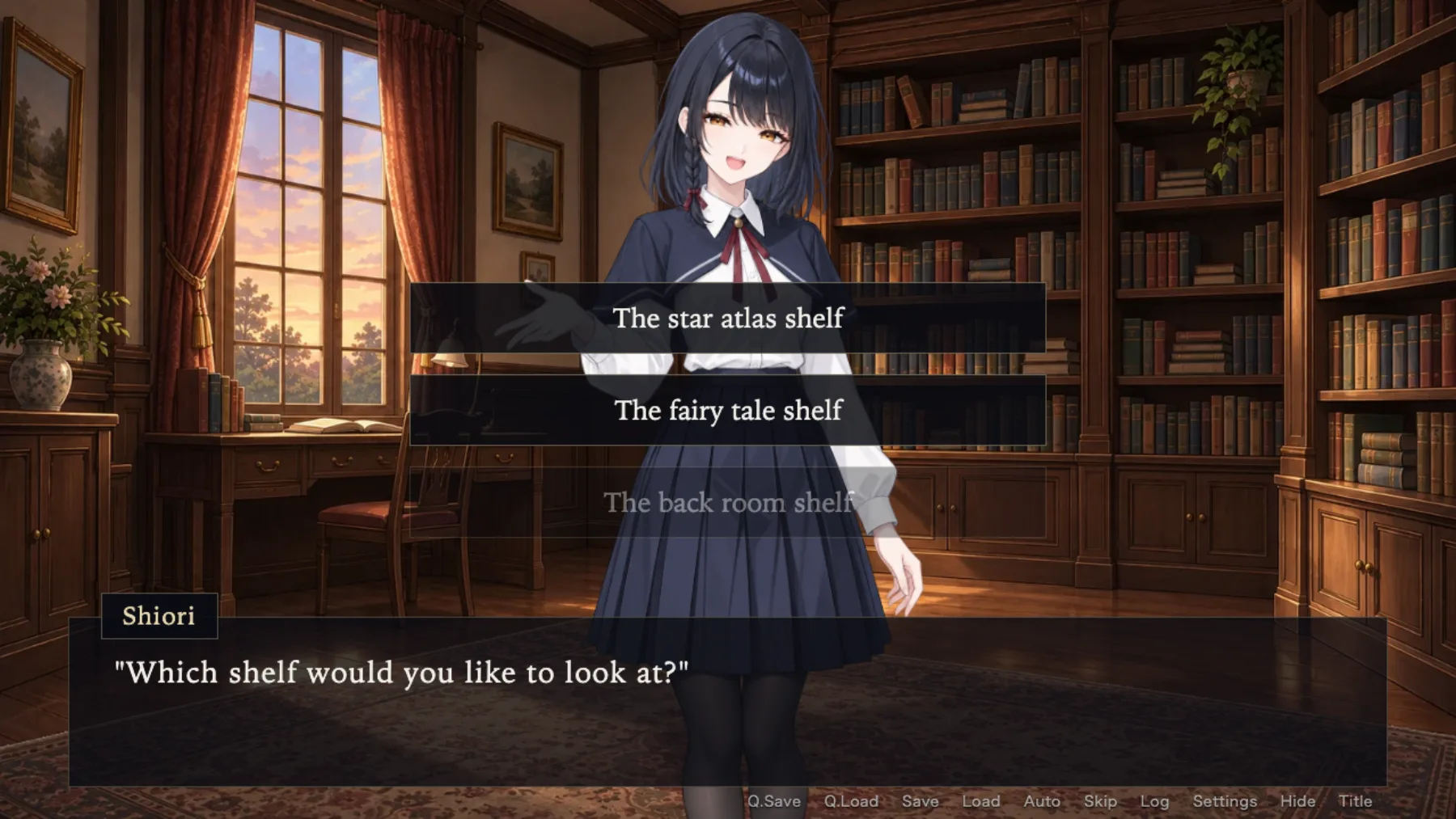
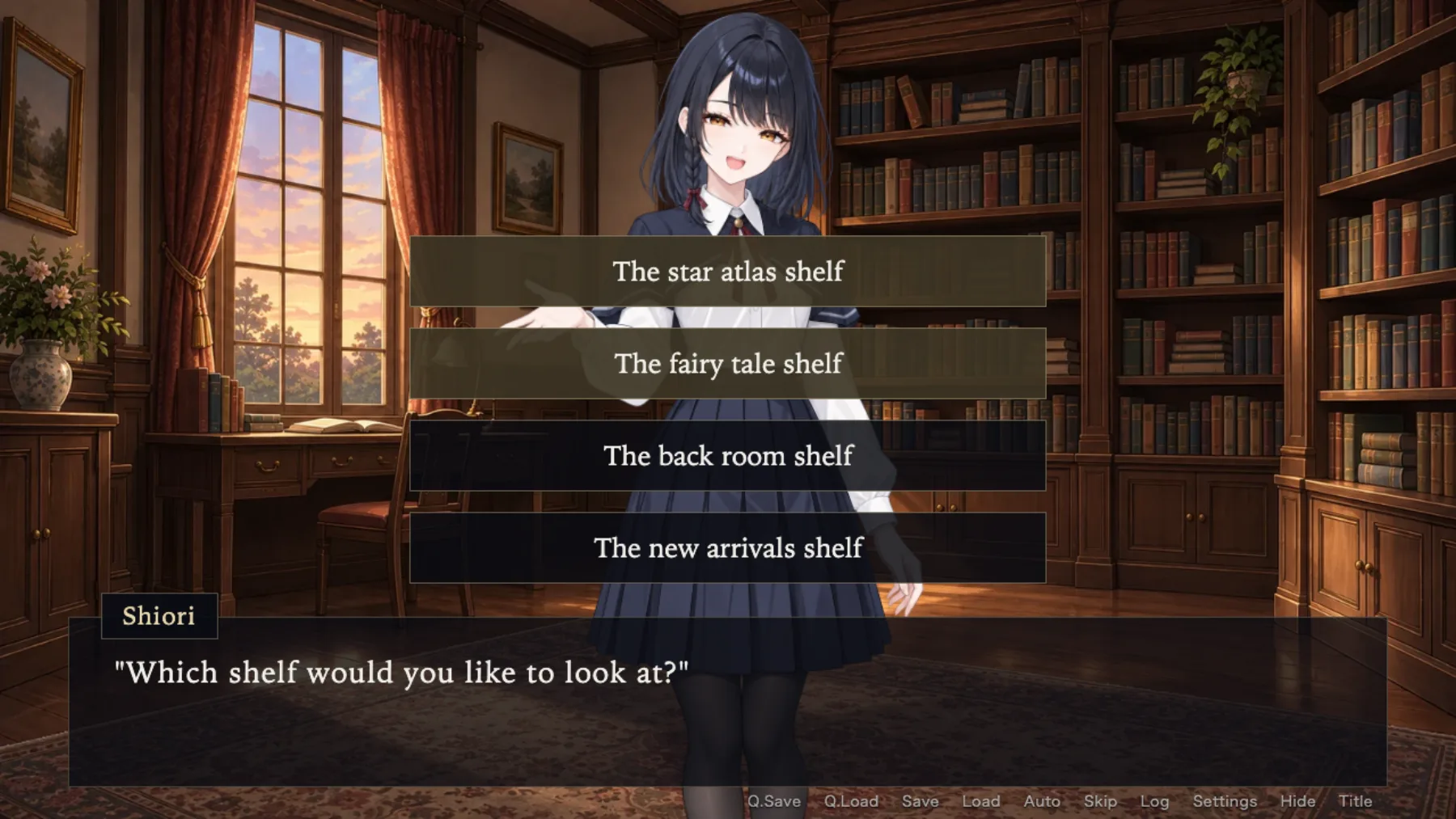
If the player didn’t make a card, “The shelf at the back of the stacks” is shown but can’t be clicked, and “The new arrivals shelf” isn’t shown.
If the player made a card, all four can be clicked.
Things to watch out for
- Always put the expression in
( ). - You can write
if=andlocked=together on the same line. - If every choice has
if=, you get a warning in Check. If all the conditions are false, not a single choice is shown and the game stops there. Leaving one choice without a condition is the safe way.
The list of parameters you can write on a choice line is in the @choice reference.
In code
@choice
- The star atlas shelf -> #stars
- The fairy tale shelf -> #tales
- The shelf at the back of the stacks -> #archive locked=(!game.card)
- The new arrivals shelf -> #new if=(game.card)
@end