

Repeat, wrap and return values with macros
On this page
Macros (@define) can repeat lines, take the caller’s lines as content, and return values. For how to make macros, see Reuse scenes and effects. All the lines on this page are written in the code view.
The examples on this page use the English sample story, “Waiting for Stars” (choose “A sample story” and English in New Project, or run lim new --lang en; the characters are Akari and Sou).
Wrap text in effects (@with and @content)
When the same effects come before and after and only the text in between changes, as in a flashback scene, you can pass the text to a macro.
- In the macro, write
@contentwhere the text should go. - Where you use it, write the text between
@with macro nameand@end.
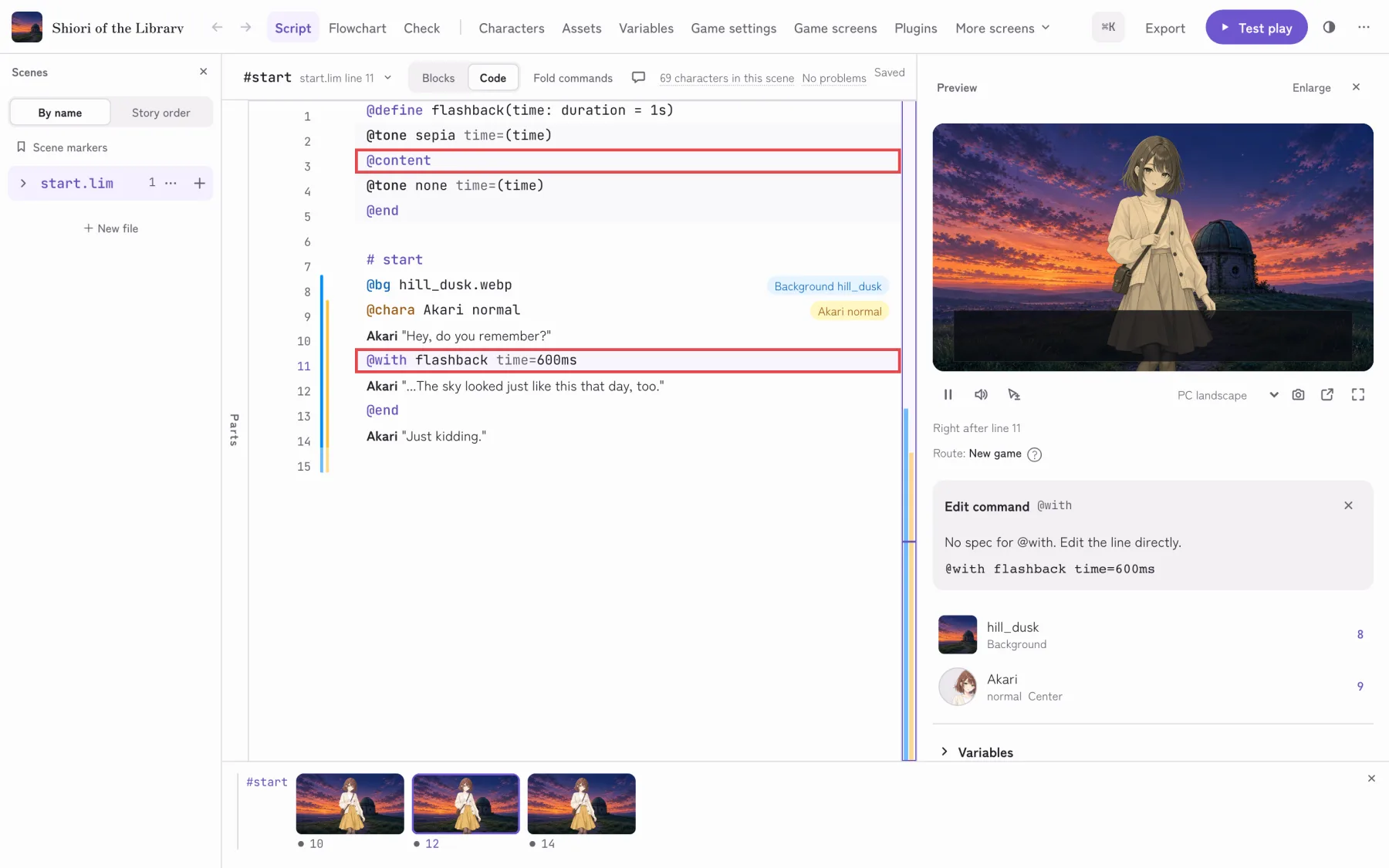
The lines between @with and @end run where @content is in the macro. In this example, the sprite turns sepia, the text appears, and when it’s done, the color goes back.
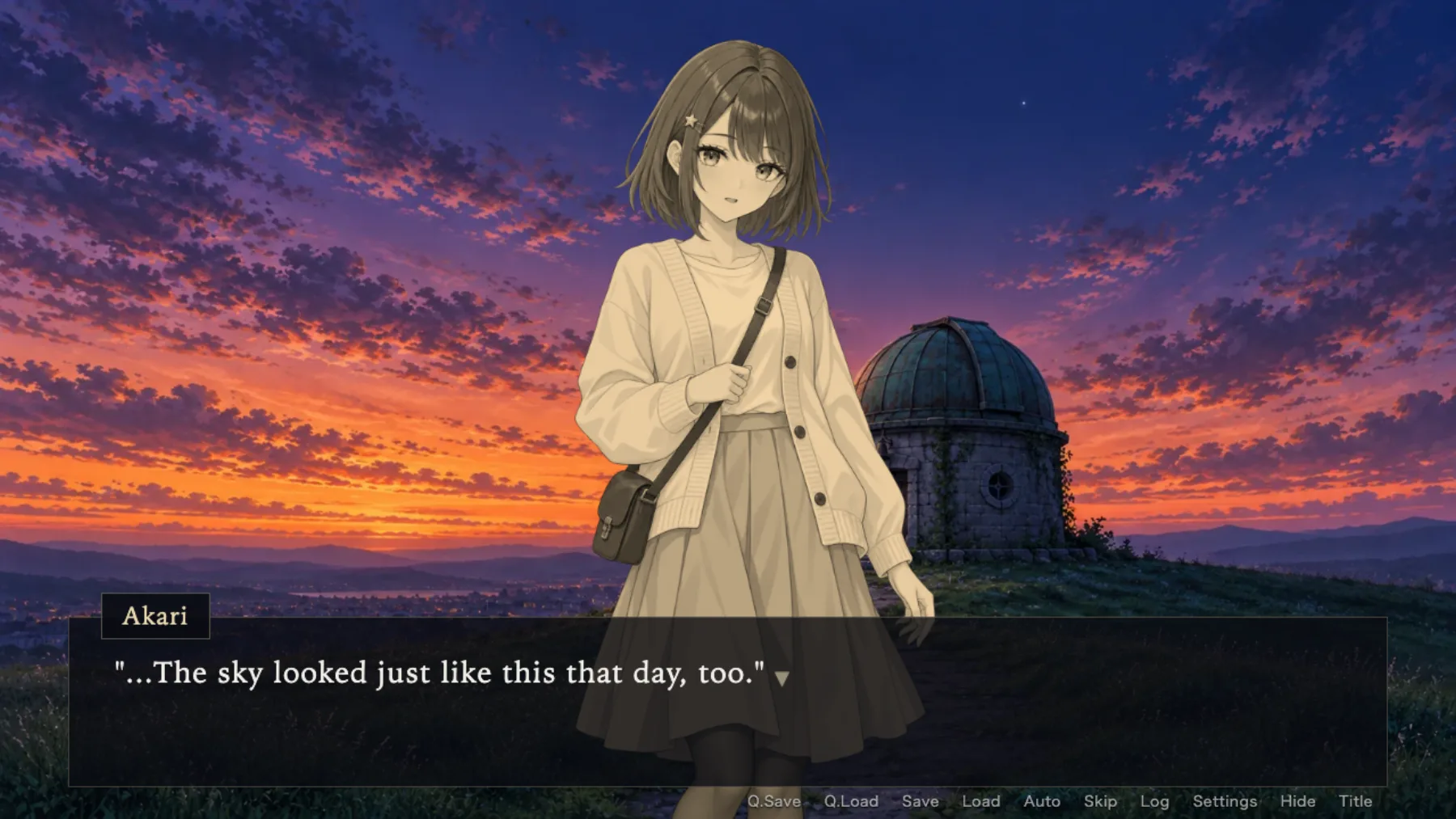
- You can write
@contentas many times as you like. - If you call a macro without
@contentwith@with, the content isn’t run, and you get a warning in Check. - The content can’t contain labels.
Repeat the same lines (@while)
The lines between @while condition and @end repeat as long as the condition is true.
@let i = 0
@while i < 3
The bell rang. That makes {= i + 1}.
  @let i = i + 1
@end
Conditions are written the same way as for @if. You can’t put labels in between. A loop that never ends stops after a fixed number of times.
Loop over an array (@for)
Between @for name in expression and @end, if the expression’s value is an array, its elements are put into the name one at a time, and the lines repeat once for each element. Use it when, for example, you collect the things the player found in a variable as an array and list them all later.
@set game.found = []
@set game.found = push(game.found, "an old key")
@set game.found = push(game.found, "a star map")

@for thing in game.found
I put {= thing} on the desk.
@end
In this example, two pages appear: “I put an old key on the desk.” and “I put a star map on the desk.”
If the expression’s value is a dictionary, its keys are put into the name one at a time. The next example sets every value in game.flags back to false.
@for name in keys(game.flags)
  @set game.flags[name] = false
@end- The expression is evaluated only once, before starting. Changing the array inside doesn’t change the elements looped over.
- Use the name between
@forand@end.game,system,tempandsavecan’t be used as the name. - Passing a value that’s neither an array nor a dictionary is a runtime error.
- You can’t put labels in between. You can put a
@forinside a@for.
Functions such as push, which makes arrays, and len, which counts elements, are in Expression functions.
Return a value (@return (expression))
Give the macro one parameter of type variable, and @return (expression) puts a value in that variable and ends the macro. The caller passes the variable that receives the value.
@define roll(sides: int = 6, into: variable)
@return (randint(1, sides))
@end

@roll sides=20 into=temp.r
The die came up {= temp.r}.
@return (expression) can only be written inside @define. @return without a value goes back to where it was called from, as before.
A value returned by a macro can’t be used in an @if condition or inside {= } in text. To only calculate a value, make a function you can call in expressions with @function (“Make a function” in Branch on visits and earlier choices).
In code
@define flashback(time: duration = 1s)
@tone sepia time=(time)
@content
@tone none time=(time)
@end

@with flashback time=600ms
Akari "...The sky looked just like this that day, too."
@end