

Find gaps with the all-routes test
On this page
As the choices grow, checking by hand that every scene can be reached gets hard. The all-routes test plays automatically from the beginning in many different ways, and finds out which lines it reached and what problems came up along the way.
Here, as an example, you try it with the second choice’s jump target mistyped as #tale instead of #tales.
@choice
- Borrow the star atlas -> #stars
- Borrow the old book of fairy tales -> #tale
@end
Run the all-routes test
- Click “Check” at the top of the screen. If there are problems, a number appears next to its name.
- Click “Run the all-routes test” on the card at the top left. Wait a little until it finishes.
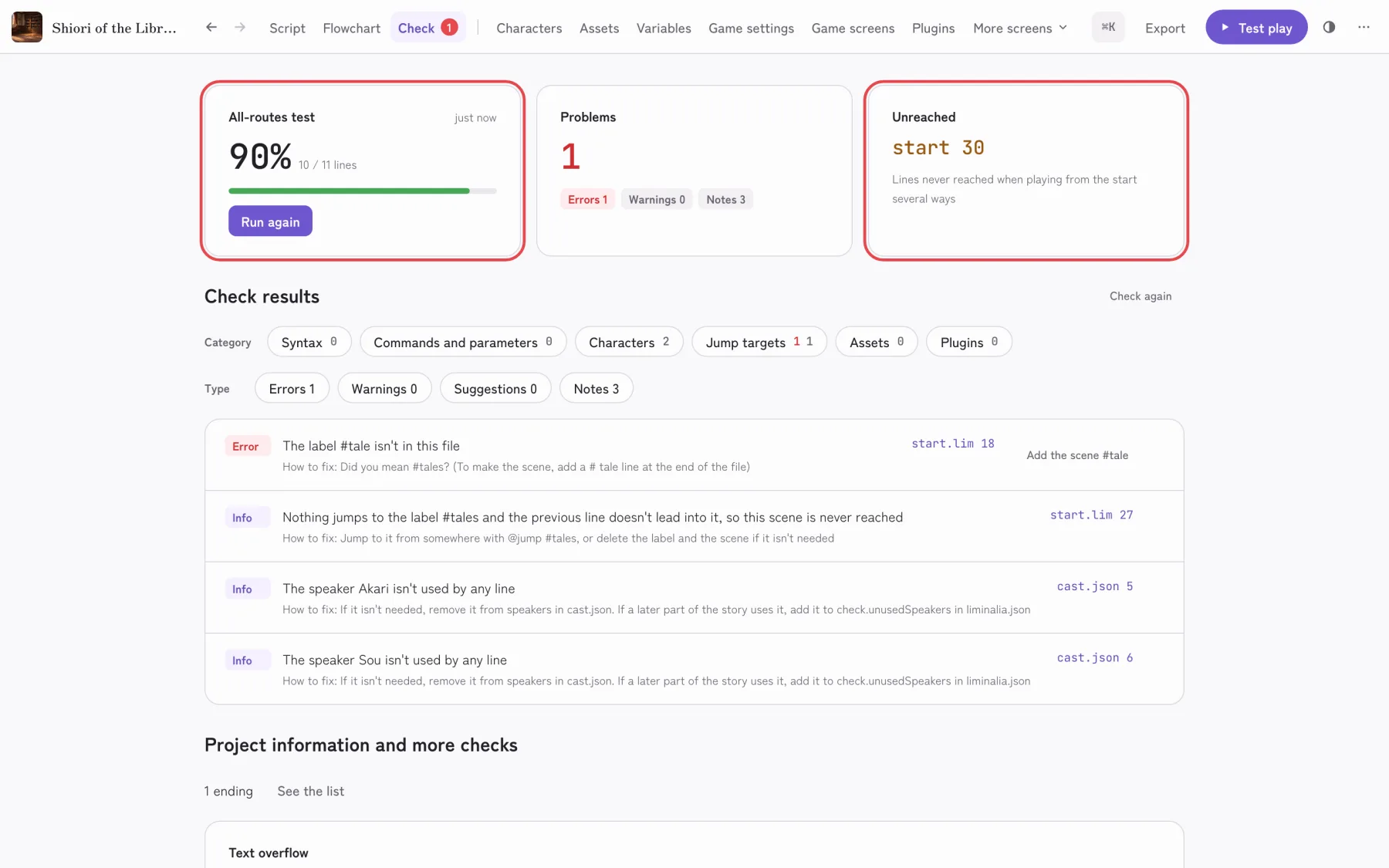
The cards at the top show, from the left, the share of lines reached, the number of problems and the unreached lines. “start 30” on the Unreached card means that line 30 of start.lim was never reached, whatever was chosen. Click it to go to that line. If there are several unreached places, they’re listed below it.
From the second time on, the button changes to “Run again.” After fixing the script, click it again to check.
Read the suggested fix
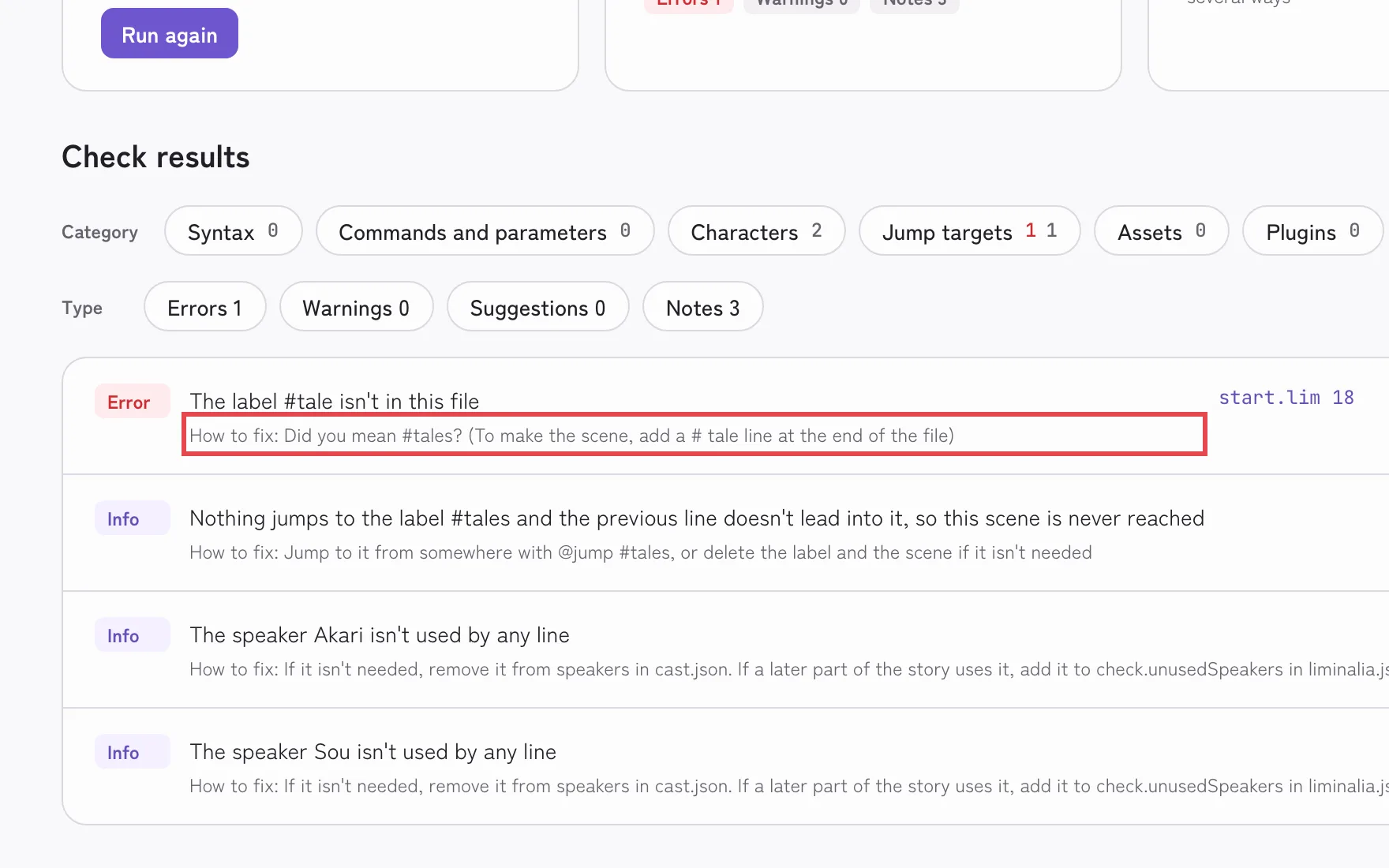
Below the cards is the list of problems. “How to fix” under an error suggests how to fix it. In this example, it points to #tales, the label closest to the mistyped one.
Problems marked “Problems while running” were found while the all-routes test was actually playing through the story.
Click the round buttons above the list (Syntax, Jump targets, Assets and so on) to show only problems of that kind.
Check it in the flowchart
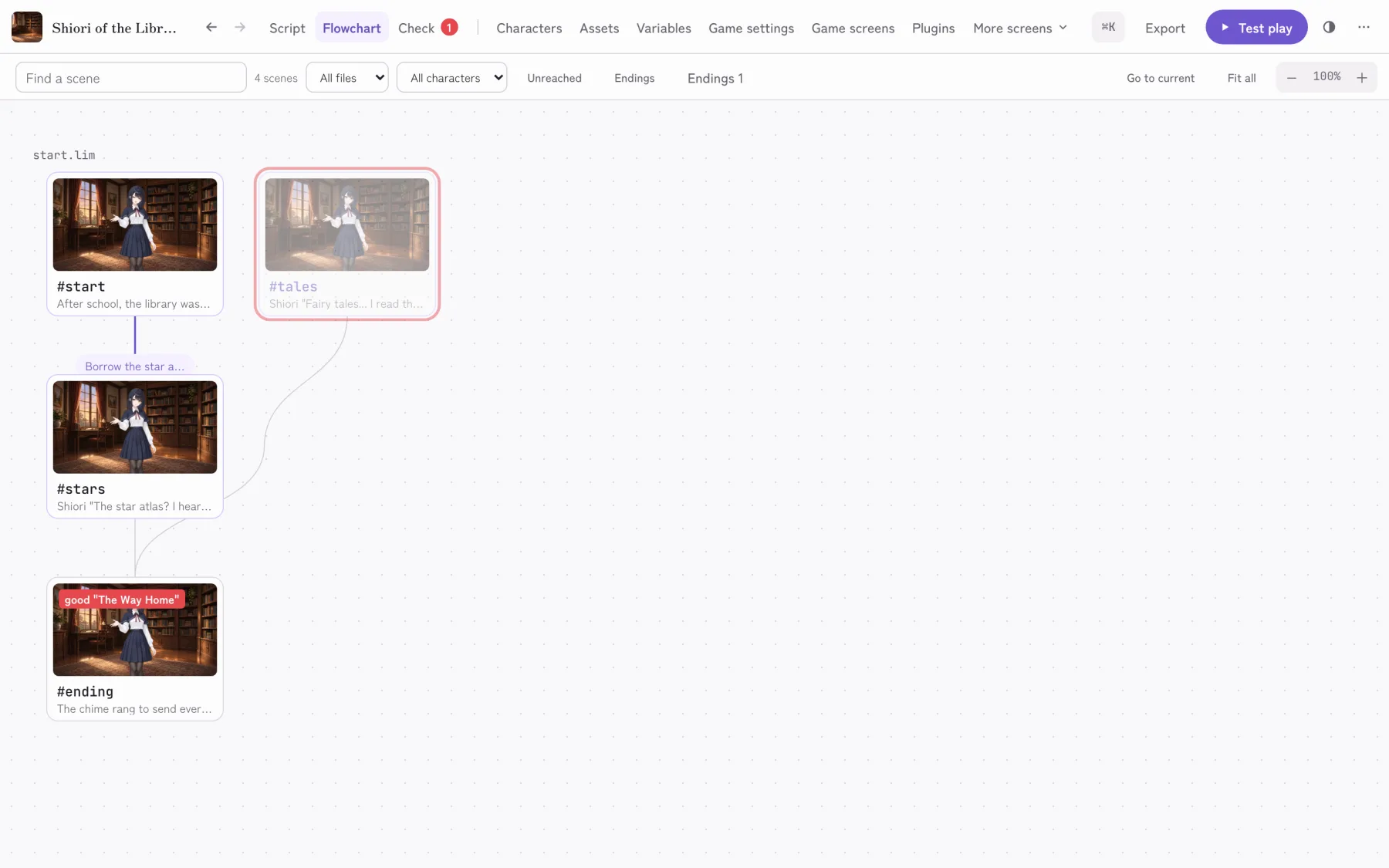
Open the flowchart after the all-routes test, and the scenes that weren’t reached appear faded. You can see that no choice has a line leading to them.
Fix it and check again
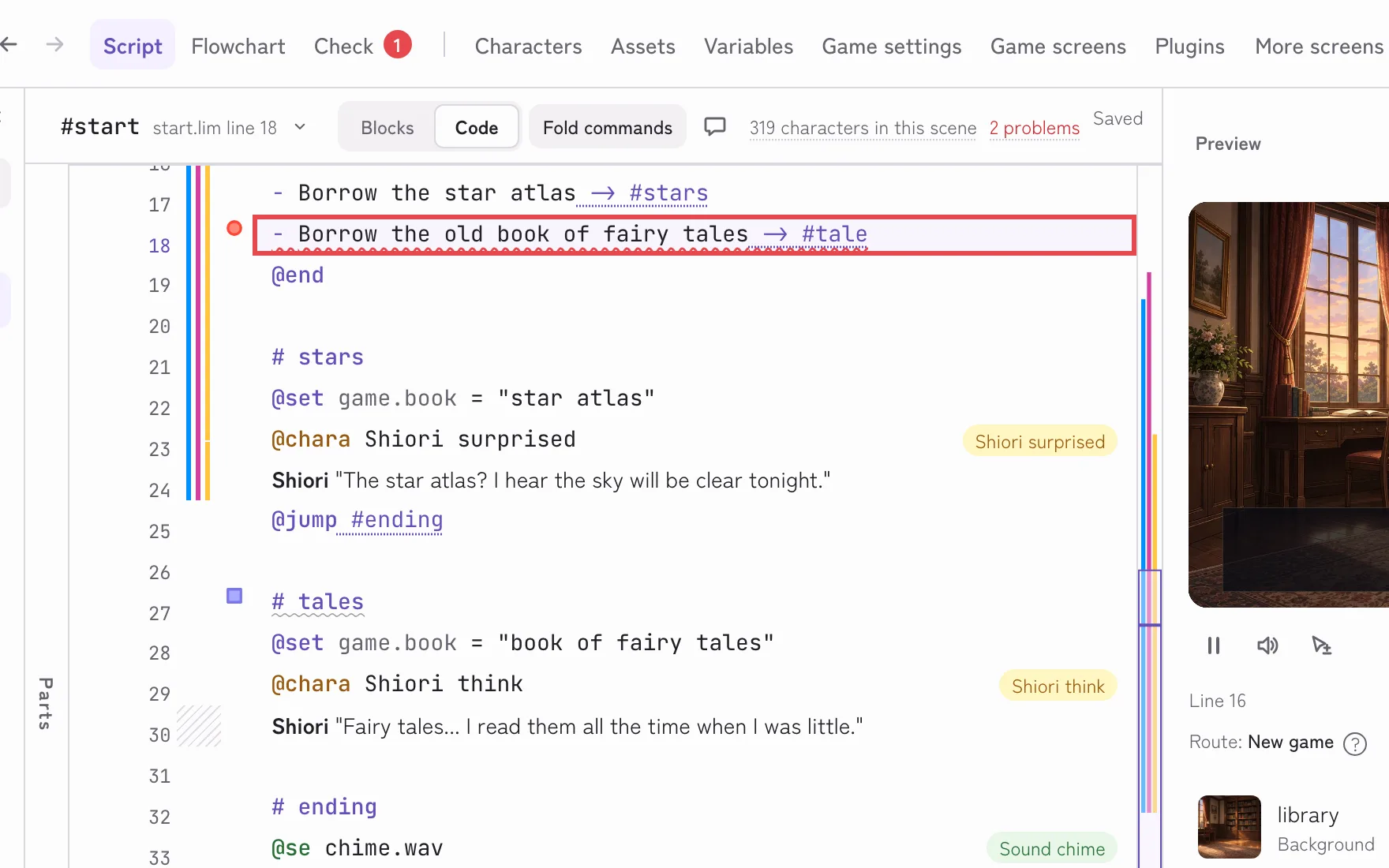
- On the Check screen, click the problem. The “Script” screen opens with that line selected.
- Fix it as suggested and save (here, change
#taleto#tales).
- Go back to the Check screen and click “Run again.”
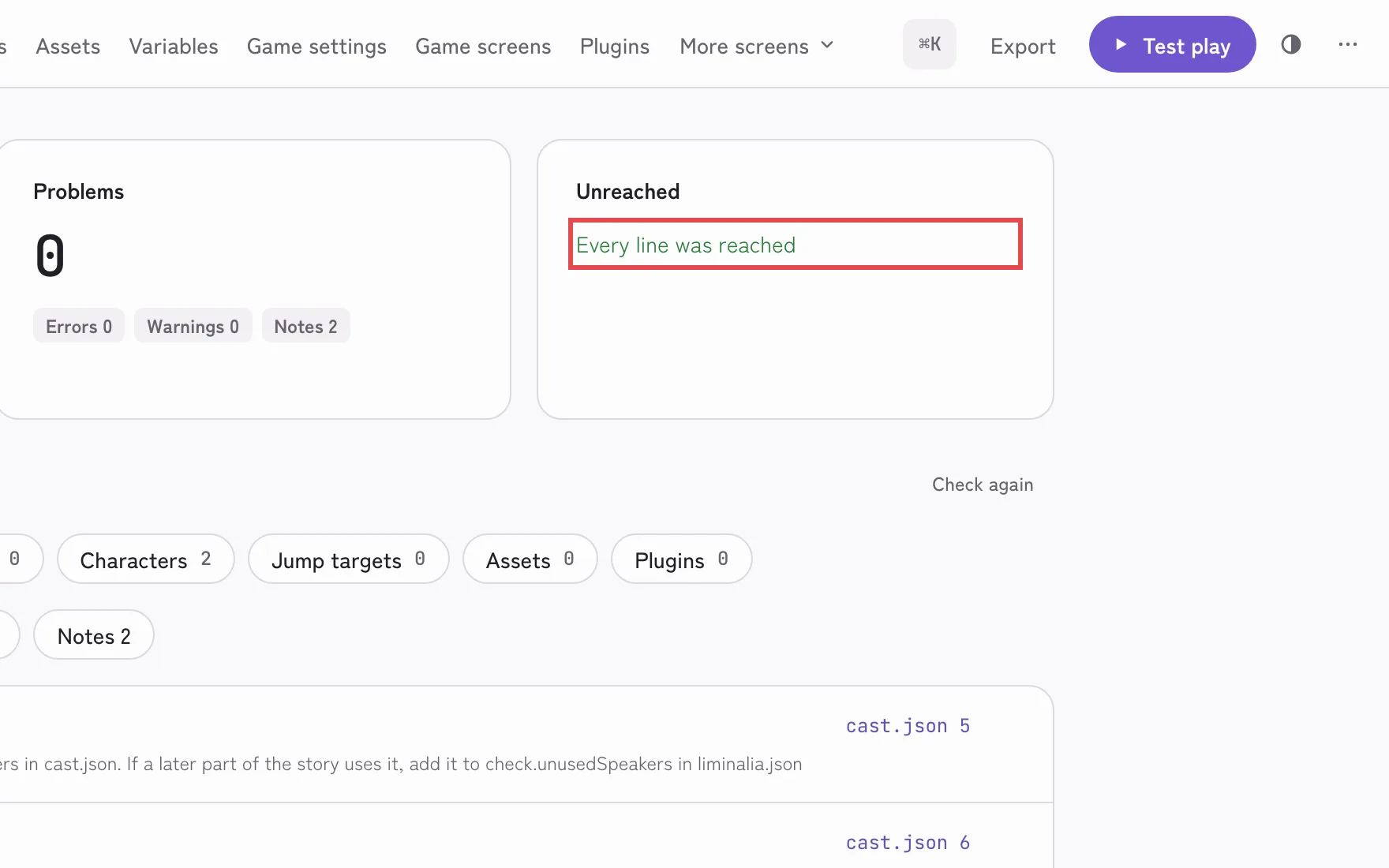
When the problems are gone and every line is reached, “No problems” and “The all-routes test reached every line” appear in place of the cards.
Syntax errors (mistyped commands, labels or assets that don’t exist, and so on) are checked again automatically every time you save. The all-routes test doesn’t run automatically, so when you fix choices or conditions, click “Run again.” If you edit the script after running the all-routes test, the card says something like “1 file changed after the run.” While it’s running, the card shows how many runs it has done, along with “Stop.”
Find the choices that reach an unreached line (lim reach)
The all-routes test shows the results of playing through in a number of ways. A line inside a condition may only be reached by choosing in a certain order, so when a line is unreached, you can’t tell whether no choices can reach it, or the choices that were tried just didn’t. lim reach on the command line looks for choices that reach the line from the start (for how to install lim, see Start with the command line).
As an example, try it on a script (start.lim) where you can go to the back of the archive once you have both the key and the lamp.
# start
@set game.key = false
@set game.lamp = false
Yuika "Where should we look first?"

# hall
@choice
- Open the desk drawer -> #desk
- Look on top of the shelf -> #shelf
- Check the archive door -> #door
@end

# desk
@set game.key = true
Haru "There's a key."
@jump #hall

# shelf
@set game.lamp = game.key
Haru "Looks like the lamp won't come off without a key."
@jump #hall

# door
@if game.key && game.lamp
Yuika "It opened..."
@jump #archive
@end
Yuika "It's too dark to even see the keyhole."
@jump #hall

# archive
Haru "We made it to the back of the archive."
Run it in the project folder with the place. Write the place as file#label, file:line or file. For “start 30” on the Unreached card, it’s start:30. Add --lang en to get the results in English.
lim reach start#archive --lang enWhen it finds choices that reach the place, it lists the choices to pick in order, along with the variables in the conditions at the moment it gets there and the lines that set those values.
Choices that reach start#archive (start.lim:31) from the start:
  1. start.lim:7  "Open the desk drawer" (option 1 of 3)
  2. start.lim:7  "Look on top of the shelf" (option 2 of 3)
  3. start.lim:7  "Check the archive door" (option 3 of 3)

Variables when it gets there:
  game.key = true (set at start.lim:14)
  game.lamp = true (set at start.lim:19)

Conditions to get in:
  game.key && game.lamp  (start.lim:26)

As a test (tests/*.limtest):
  # Reaches start#archive
  choose Open the desk drawer
  choose Look on top of the shelf
  choose Check the archive door
  expect reach start#archive
It takes out, one by one, the choices that aren’t needed to reach the place before showing them (no detours that come back to the same choice are left). You can paste the “As a test” part as is into a script test file.
When nothing is found
Suppose the shelf scene puts the value in game.lantern instead of game.lamp. When no choices that reach the place are found, it shows the conditions to get into that line and the lines that set the variables in those conditions.
No way to reach start#archive (start.lim:31) was found within 30 seconds (raise --timeout)

Conditions to get in:
  game.key && game.lamp  (start.lim:26)

Lines that set the variables in the conditions:
  game.key  start.lim:2
  game.lamp  start.lim:3
  game.key  start.lim:14
The only line that sets game.lamp is line 3, which sets it to false at the start, so you can tell that it’s never set to true anywhere.
- It searches for up to 30 seconds. Pass a number of seconds, such as
--timeout 120, to search longer. If it tried everything and found nothing, it says no choice reaches it. - If the line of
file:lineis outside the lines of the file, it stops right away without searching. If it’s a comment or blank line, it searches from the next statement line (and “As a test” uses that line too). --jsonoutputs the results as JSON.- Studio’s “Play from here” also looks for choices in the same way before it starts, when you choose a line the current route doesn’t reach.
Search by ending
Instead of a line, you can search by the kind or title of an ending. Pass --ending a kind such as bad, or part of the name in title= (the same way expect ending in a script test finds an ending). If no ending matches, it stops without searching.
lim reach --ending bad --lang en
lim reach --ending "Silence" --lang en
“As a test” is written with expect ending instead of expect reach. With --endings, it searches every ending in the project in turn and lists whether each one is reached, and shows how to write tests for the ones it reaches (the exit code is 1 if even one isn’t reached).
To check an exported game by playing it to the end in Chromium, see Play an exported game to the end automatically.