

Move and shake sprites
On this page
After a sprite is shown, you can move it, shake it or have it exit.
The examples on this page use the English sample story, “Waiting for Stars” (choose “A sample story” and English in New Project, or run lim new --lang en; the characters are Akari and Sou).
Move a sprite
- Type “move sprite” in the search box at the top of the parts panel.
- Select the line just before the dialogue where it should move, and double-click “Move sprite” in the results.
- In the panel on the right, set
whoto “Akari,” and enter the left edge of the new position (in game screen px) inleft. - To move it smoothly, check
anim.
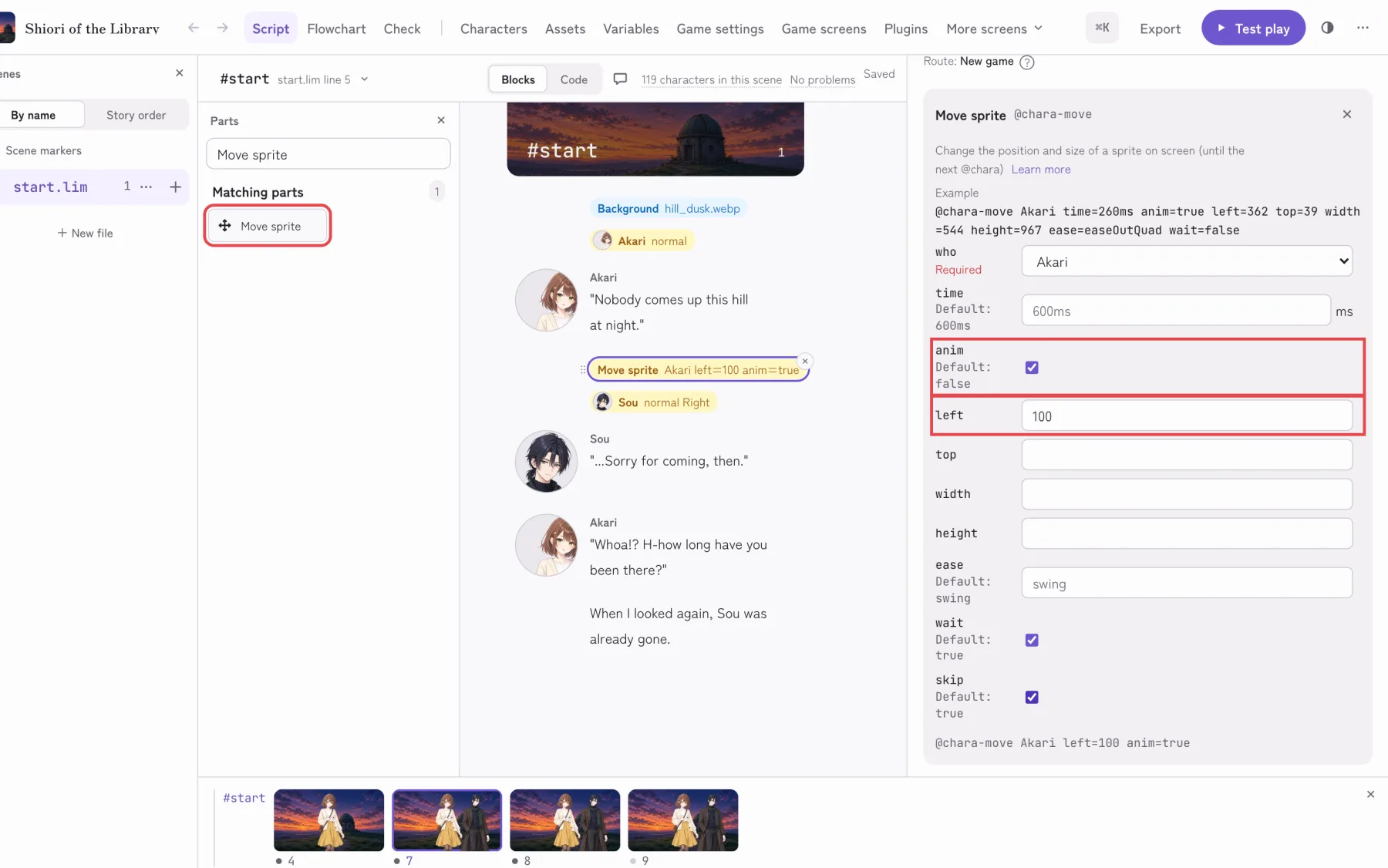
When anim is unchecked (the default), the sprite disappears and then appears at the new position. You can set top (top edge), width and height the same way, and anything you leave empty stays as it is. time is the time the move takes (600 milliseconds by default). When wait is checked (the default), the story doesn’t go on until the move finishes.
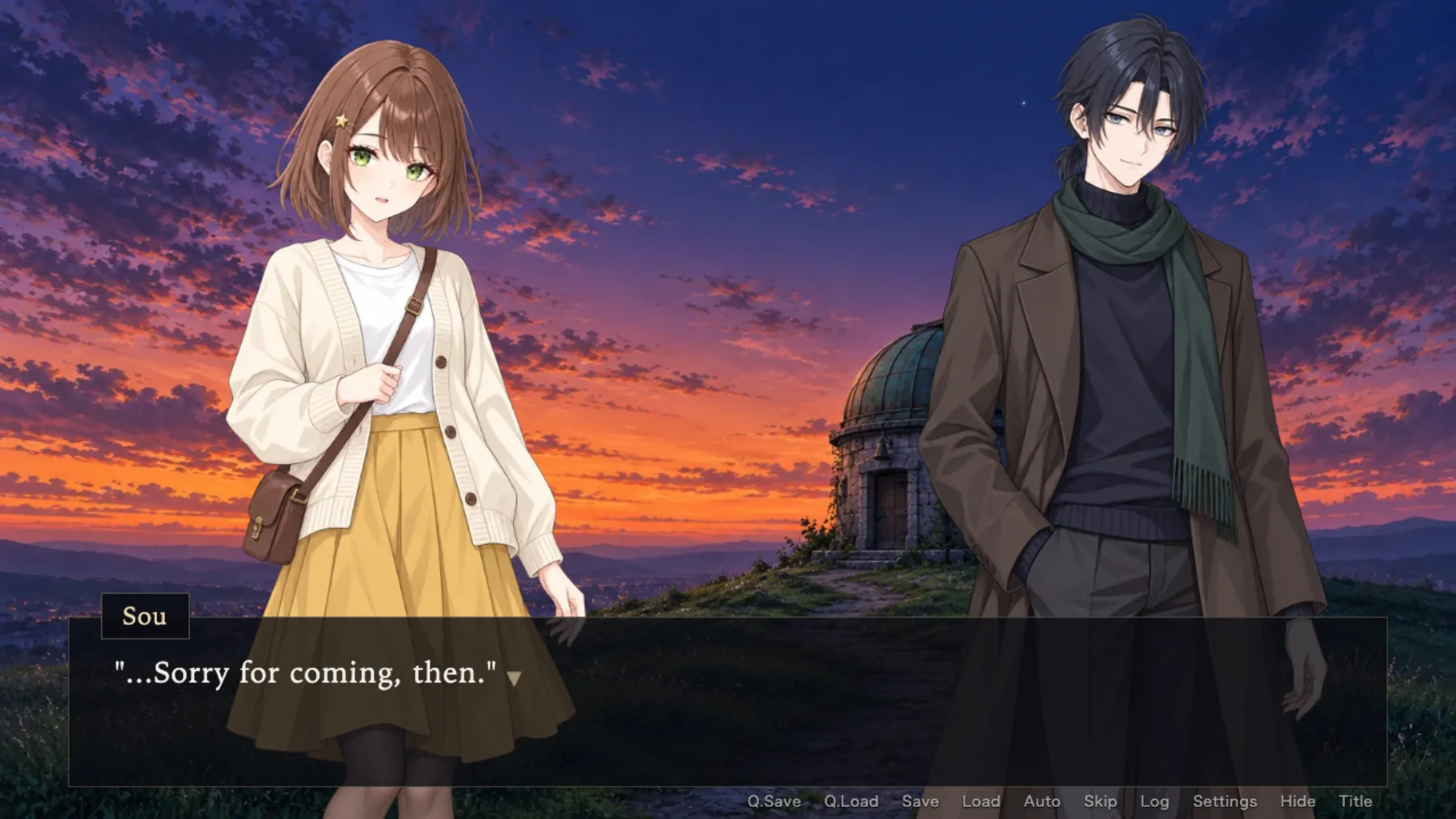
The moved position lasts until a sprite block for the same character changes the expression or anything else. Then the sprite goes back to that block’s position (or the previous position if none is given). To keep it somewhere else after changing the expression, change the position with at in the sprite block, or give coordinates with x and y (Adjust sprite position and size).
Shake a sprite
- Type “shake” in the search box at the top of the parts panel.
- Select the line just before the dialogue where it should shake, and double-click “Shake sprite.”
- In the panel on the right, choose
who, and enter the amplitude (px) inswing.swingis required. - If needed, enter
count(the number of shakes; 5 by default) andtime(the time for one shake; 500 milliseconds by default).
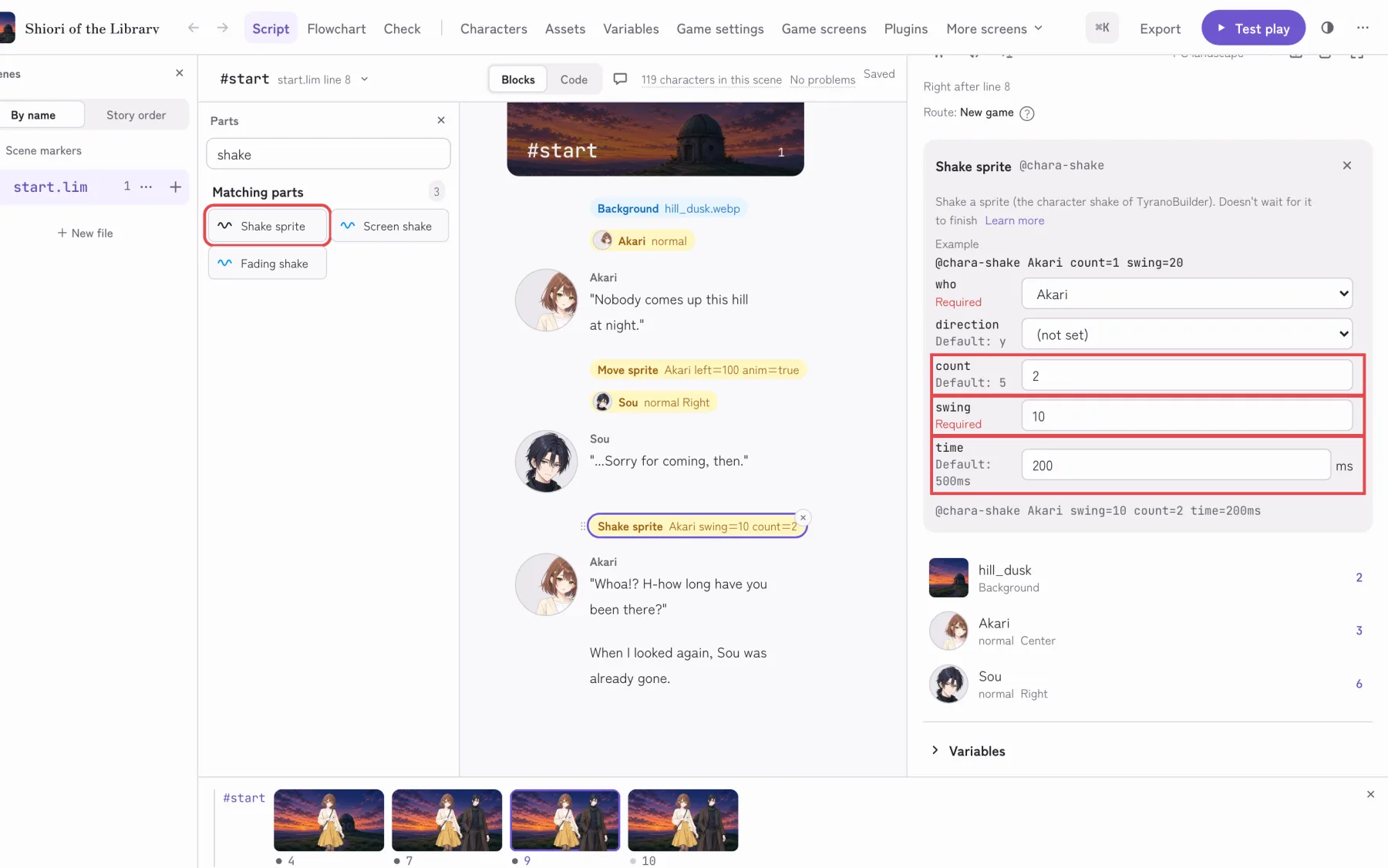
If direction is y (the default), it shakes up and down; if it’s x, side to side. The story goes on to the next line while it shakes. For a startled little hop, use a small swing and low count and time (10px, 2 times and 200 milliseconds in the example).
Have a character exit
- Select the line just before the one where the character should exit, and double-click “Exit” in the parts panel.
- In the panel on the right, set
whoto “Sou,” and enter the time to disappear (in milliseconds) intime.
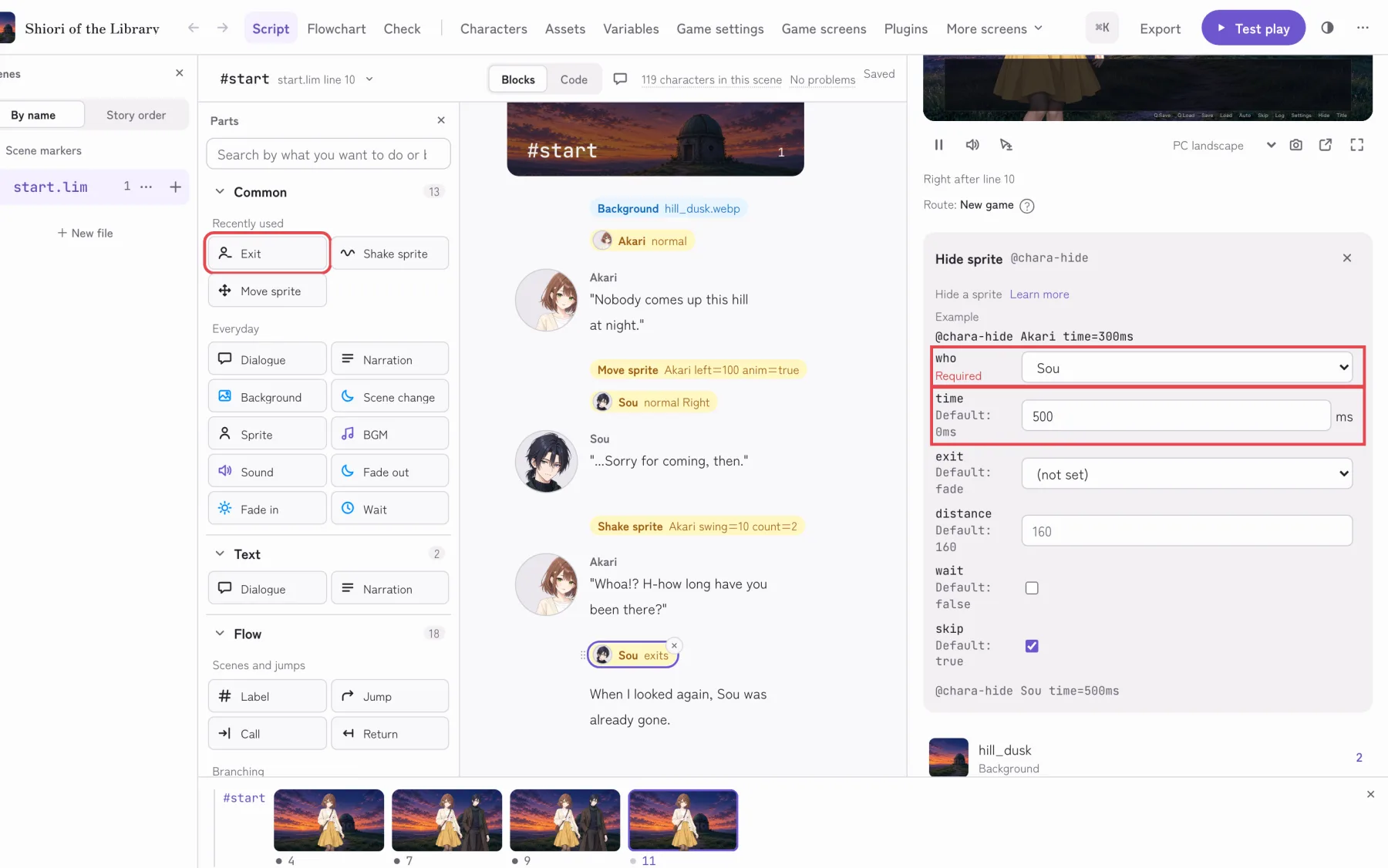
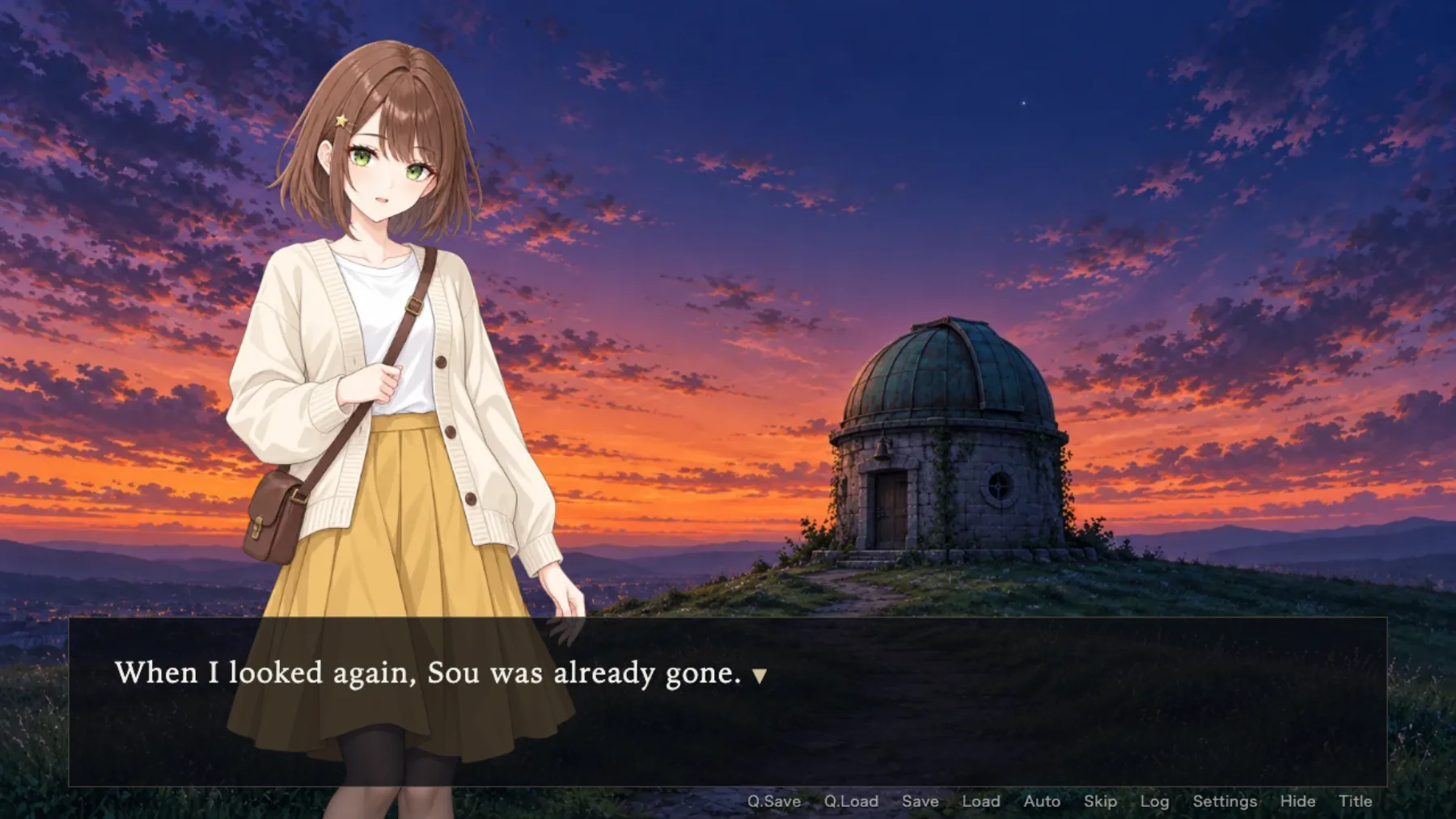
Check wait to keep the story from going on until the sprite has disappeared. To have everyone exit at once, type “hide all” in the search box and use “All exit.”
In code
@chara Akari normal
Akari "Nobody comes up this hill at night."
@chara-move Akari left=100 anim=true
@chara Sou normal at=right
Sou "...Sorry for coming, then."
@chara-shake Akari swing=10 count=2 time=200ms
Akari "Whoa!? H-how long have you been there?"
@chara-hide Sou time=500ms
When I looked again, Sou was already gone.
The full list of parameters is in @chara-move, @chara-shake and @chara-hide.