

Go back to earlier content
On this page
You rewrite something, and then find the earlier version was better. That happens a lot. Every time Studio saves a script, it keeps the content from before the save as change history (recent entries in detail, older ones further apart). From there, you can compare and go back to earlier content.
If you’ve only just made the change, ⌘Z (undo) also works. Use the change history when you want to go back to earlier content after closing Studio or after saving many times.
Open the change history
As an example, here you rewrite the first two lines, save, and then go back to the original text.
- Open the script file you want to restore.
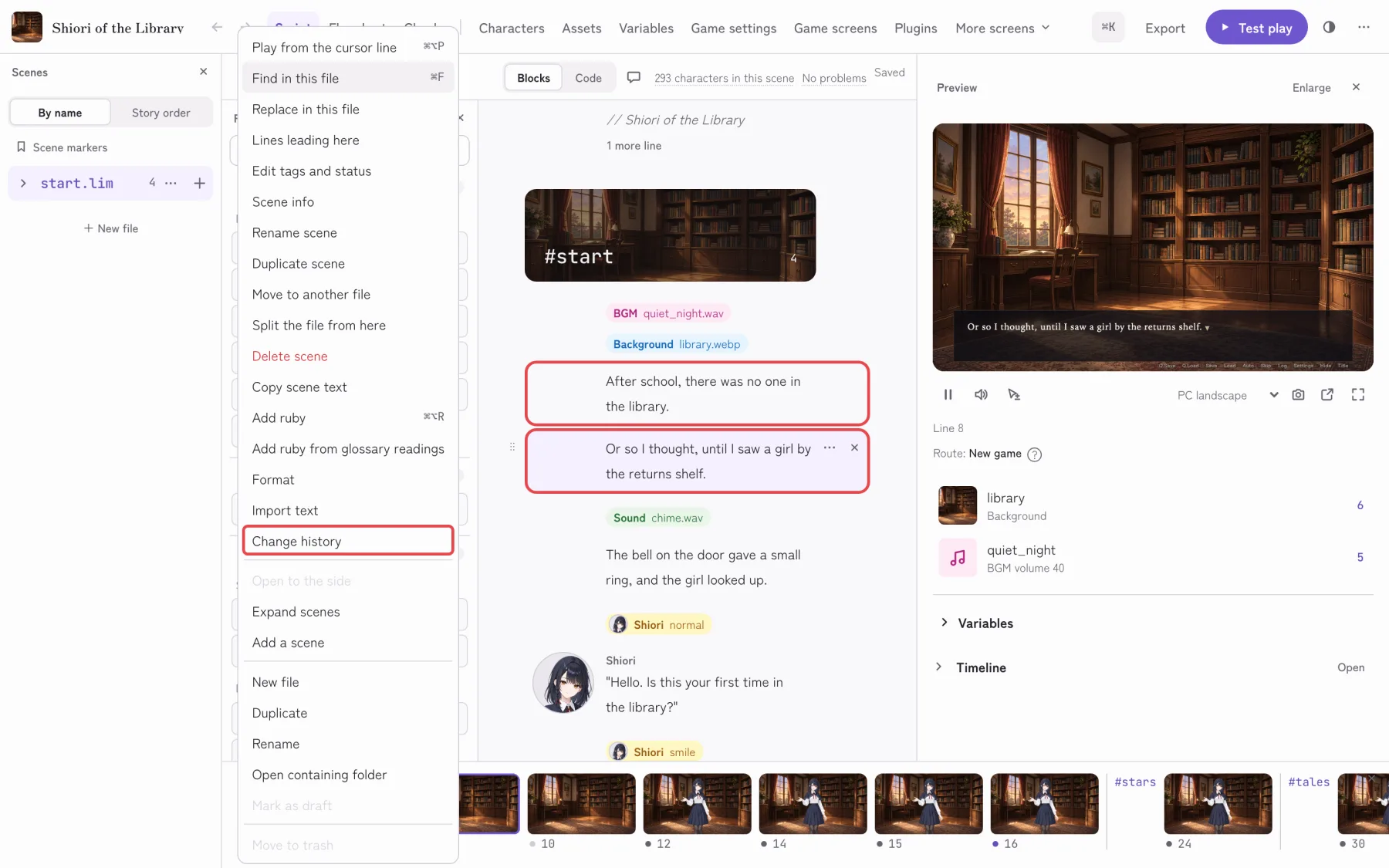
- Click the heading above the script (the file name), and choose “Change history” in the menu that opens.
Compare and restore
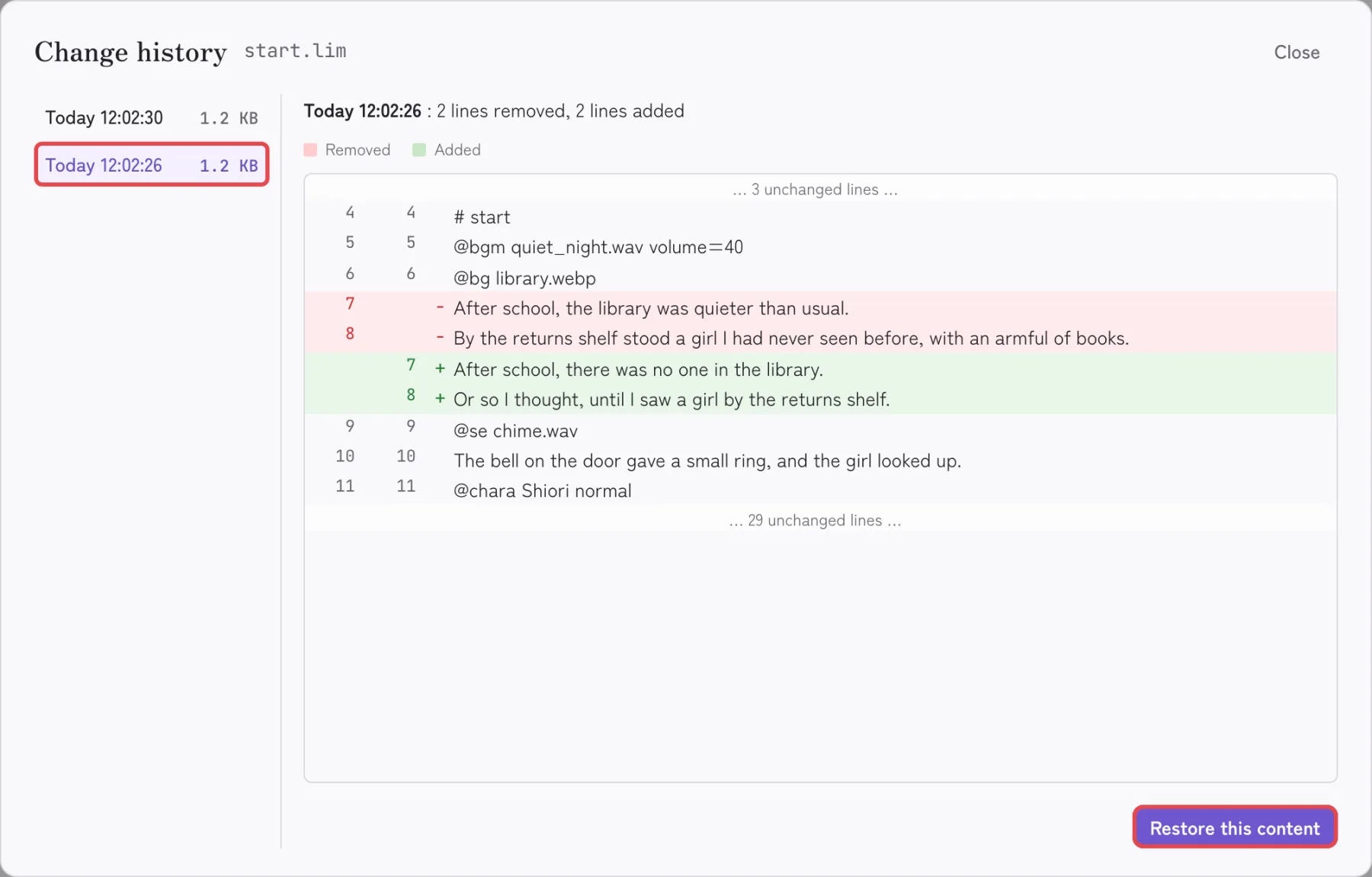
- In the list on the left, choose the point you want to go back to. The list shows the content from before each save, newest first.
- On the right, the differences between that point and the current content appear line by line. Red (Removed) lines existed at that point but are gone now, and green (Added) lines were added after it. When you restore, the red lines come back and the green lines go away.
- Click “Restore this content.”
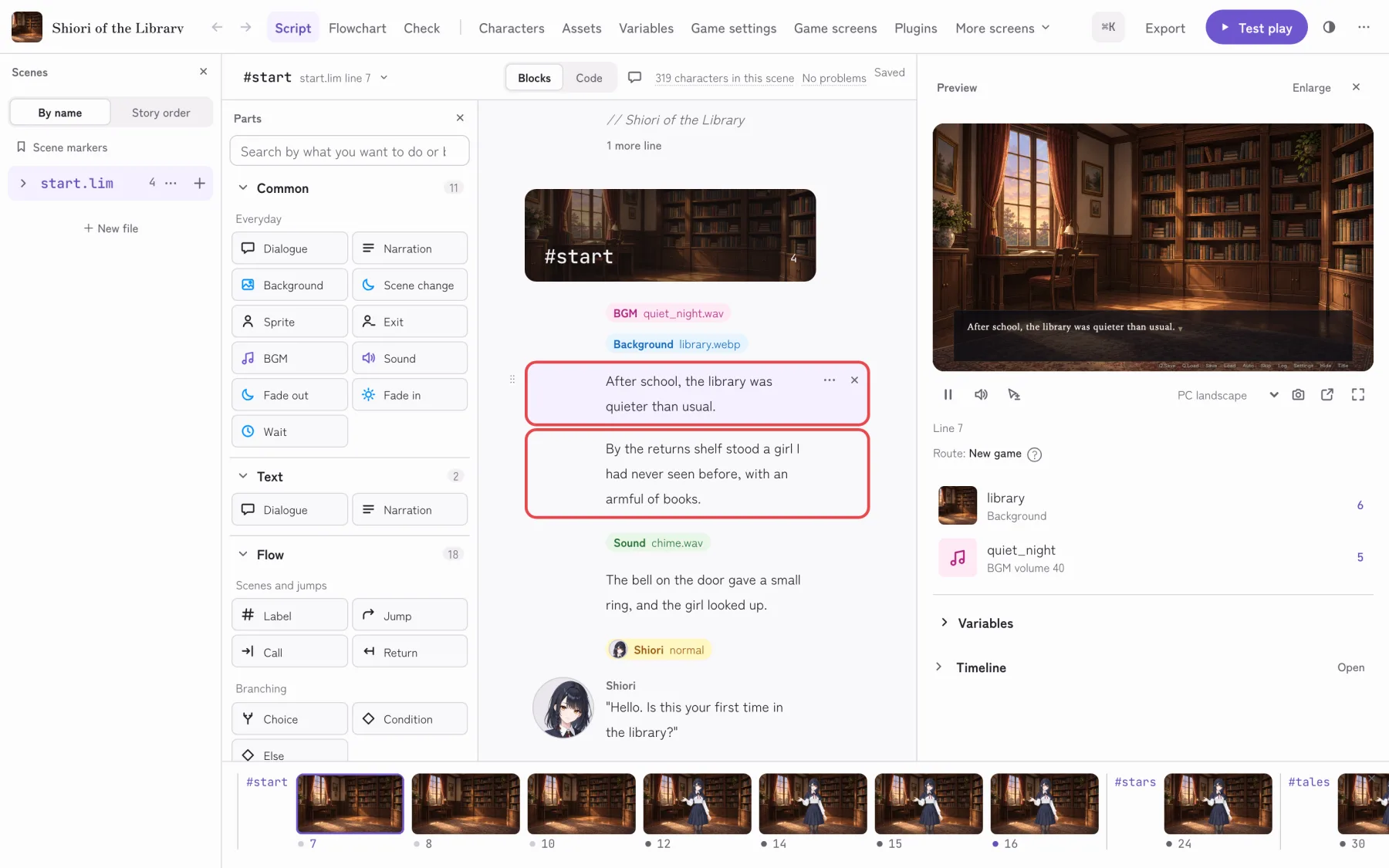
The current script is replaced with the content from that point and saved.
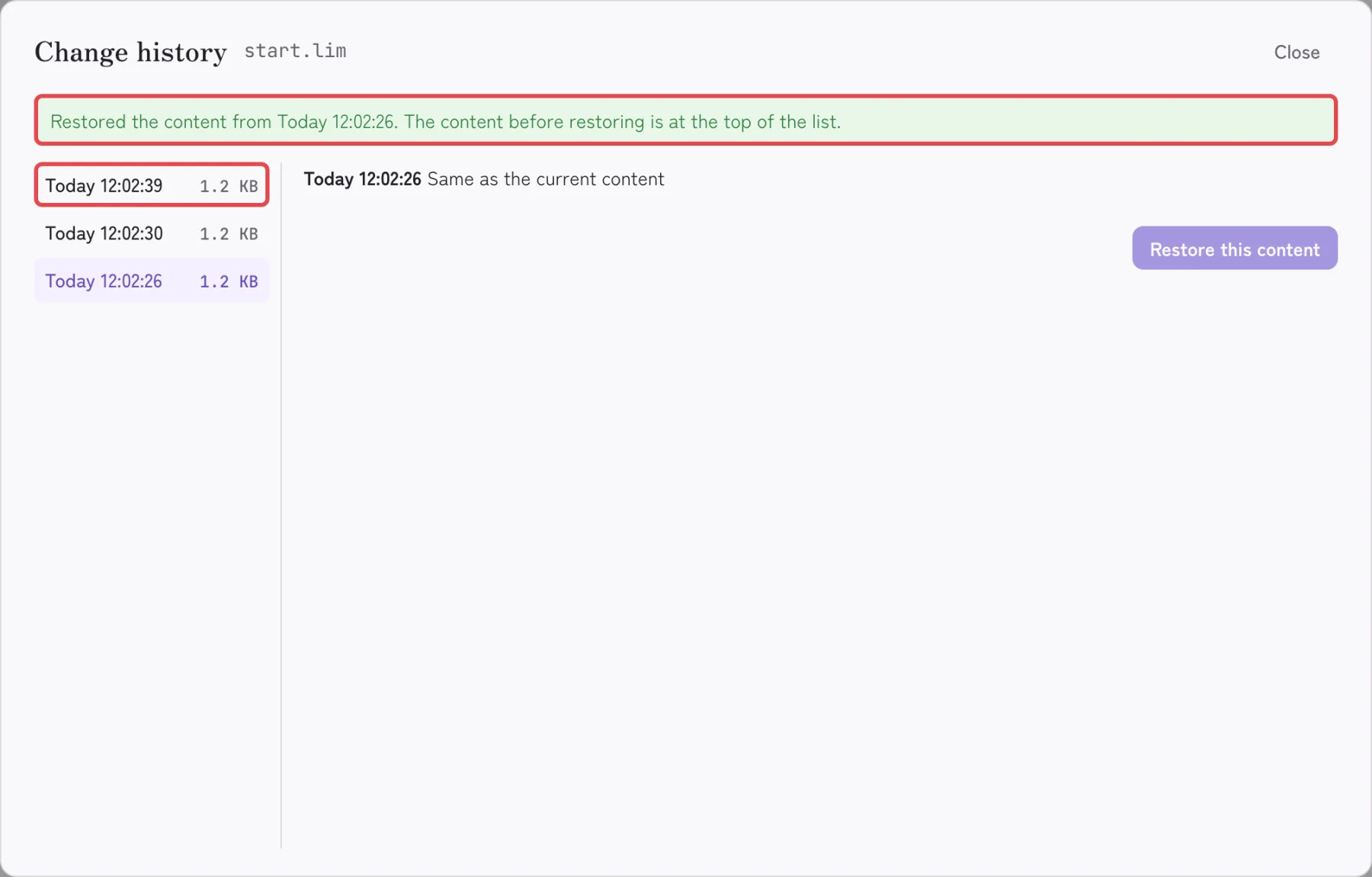
The content from before the restore also stays at the top of the list. To undo the restore, choose that top entry and click “Restore this content” again.
- Click “Close” to go back to the script.
Good to know
- Change history is kept for each script file. To see the change history of another file, open that file first.
- Up to 50 entries are kept for each file.
- Change history is saved inside the project folder (in the
.liminaliafolder), and it isn’t included in the exported game.