

07 / 10
Remember the book
Liminalia Studio is in beta. You can get it from the Download page.
On this page
In the ending, have Shiori mention the book you borrowed. To remember what the player chose, use a variable.
Store it in a variable
- Select the
# starslabel, and double-click “Variable” in the “Flow” section of the parts panel. - In the input field, change the line to
@set game.book = "star atlas".
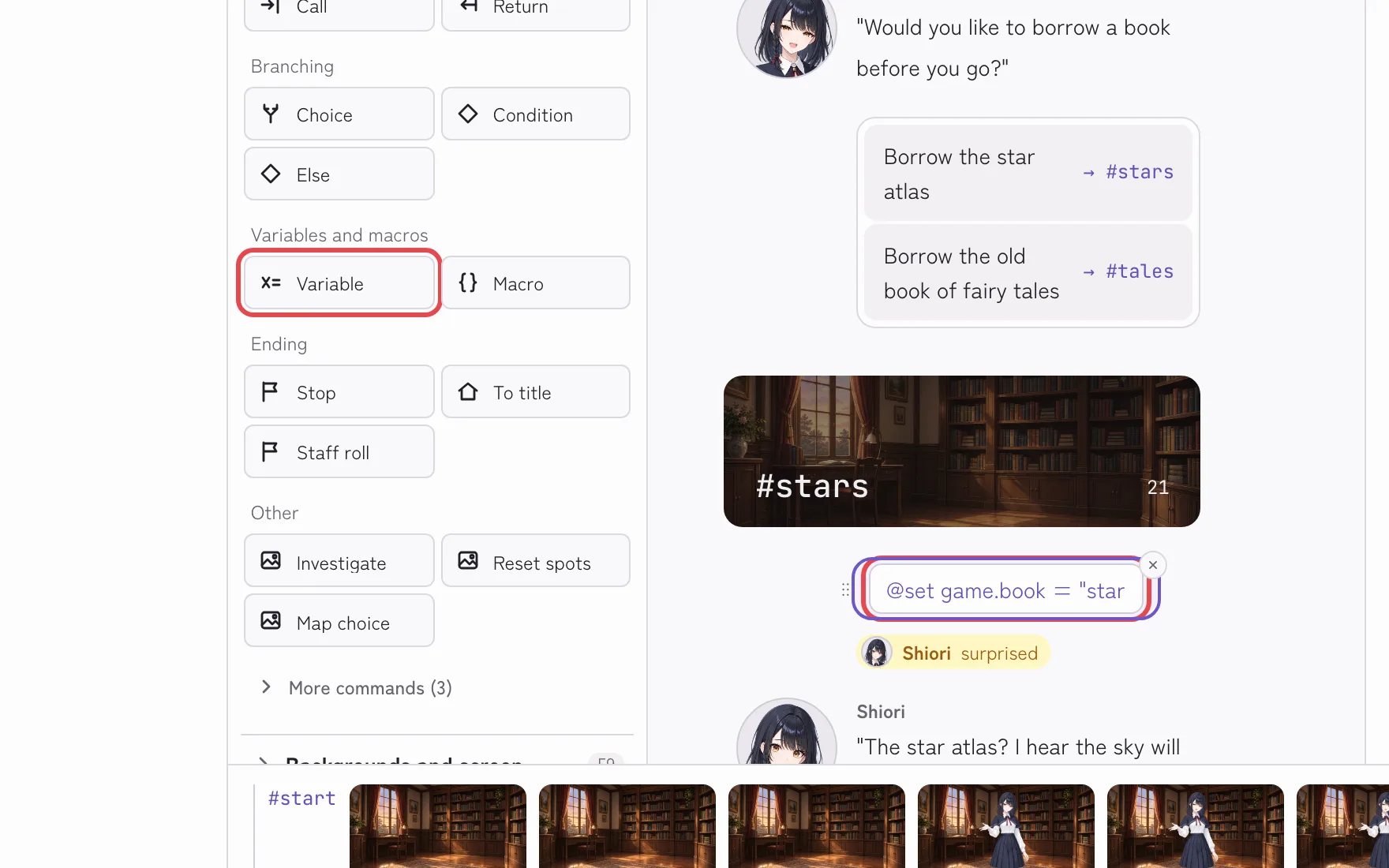
Add @set game.book = "book of fairy tales" to # tales the same way.
Use it in the text
Write {= game.book} in the text to show the value of the variable there. Change the two lines of the ending as follows.
Shiori "When you bring back the {= game.book}, tell me what you thought."
On the way home, I walked down the hill, holding the {= game.book} to my chest.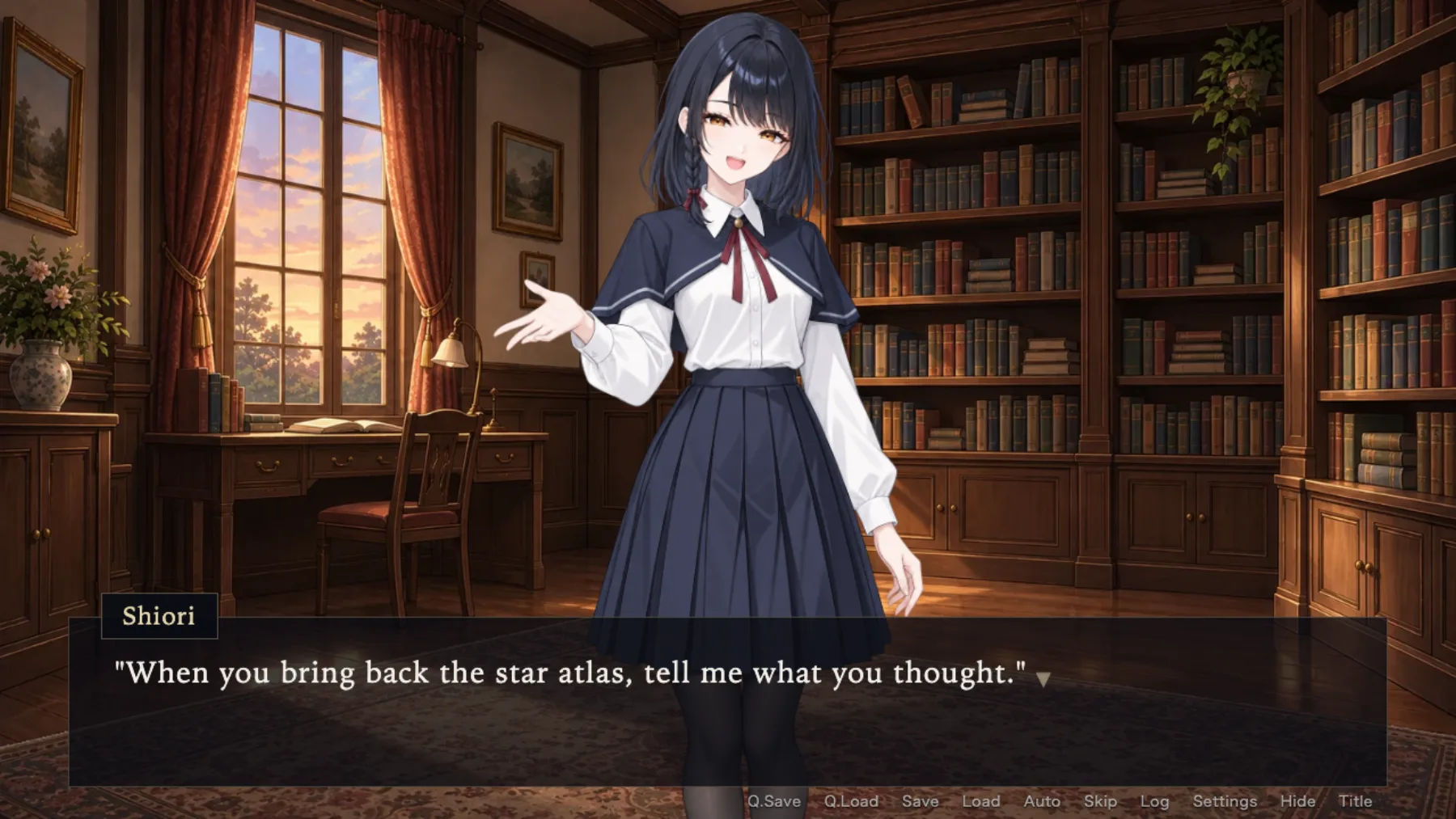
The variable list
Click “Variables” at the top of the screen to see the variables used in the project, and where each one is set and read.
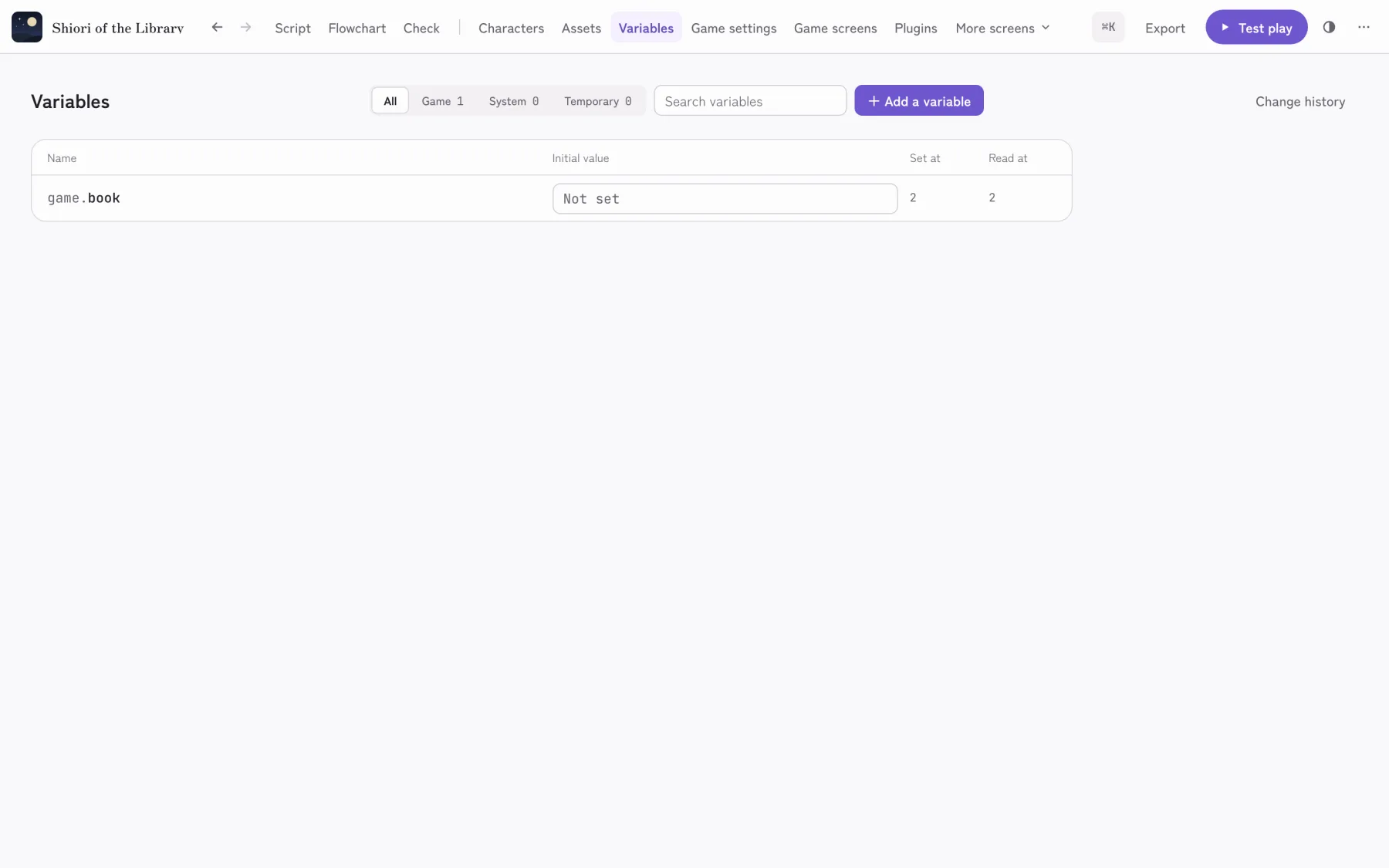
Variables that start with game. are saved with the game and come back when you load. For things that should be shared by every save (such as whether the player has finished the game), start the name with system..
The project at the end of this chapter
This is the project as it stands after the steps in this chapter. Unzip it and open the folder with Open Project in Studio to start from the next chapter. You can also use it to compare with your own project.
Download the project (zip, 1.4 MB)Play this state in the browser