

Characters
On this page
The “Characters” screen manages the cast and their sprites. Switch between “Settings,” “Lines” and “Position” to the right of the heading.
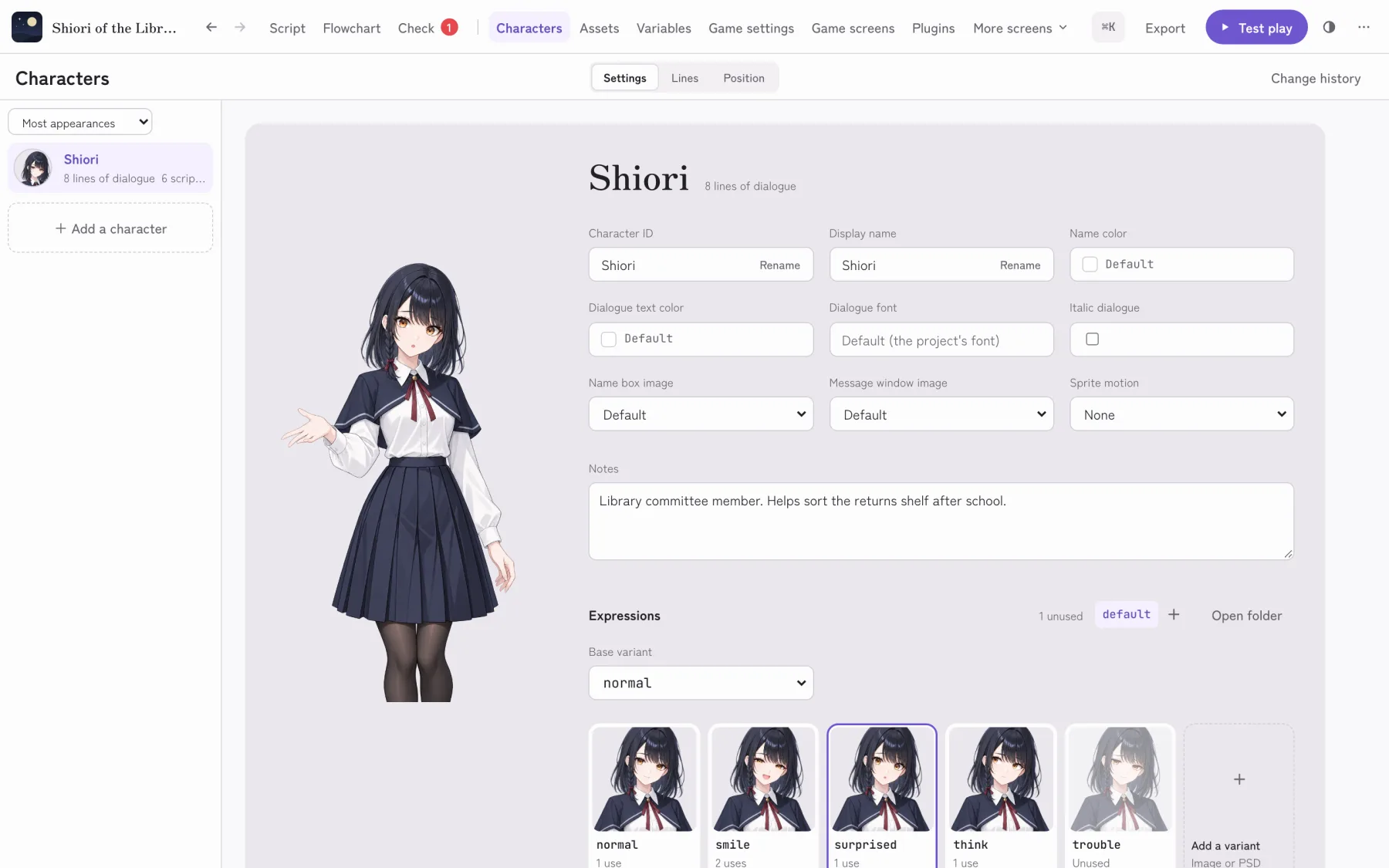
Settings
The list on the left shows each character with a face, the number of lines of dialogue and the number of script lines. Use the menu at the top to sort by “Most appearances,” “Fewest appearances,” “Name A–Z” or “Name Z–A.”
| Item | What it is |
|---|---|
| Character ID | The name used for the character in the script (the “Shiori” in @chara Shiori smile) |
| Display name | The name shown in the name box |
| Name color | The color of the text in the name box |
| Notes | Notes such as background or voice actor. Not included in the game |
| Base variant | The expression used when no variant is given |
| Expressions | The list of variants. Add them with “Add a variant” or by dropping images |
| Face position | Which part of the sprite is cropped for the face shown in the list, the script and the flowchart |
When you change the character ID or display name with “Rename,” the names in the script are rewritten too.
Each variant in the expression list shows how many times the script specifies it. A variant that is never specified is marked “Unused” with a faded image, and the number of unused variants appears next to the heading.
Select a variant to see commands such as “Adjust position,” “Lip sync and blinking,” “Replace the image,” “Layered sprite” and “Match head size.” Drop a PSD file to load its layers as a layered sprite.
Lines
Switch to “Lines” to see the dialogue of the character selected on the left, in file order and line order. Filter them with the box at the top, and click a line to go to it in the script.
Position
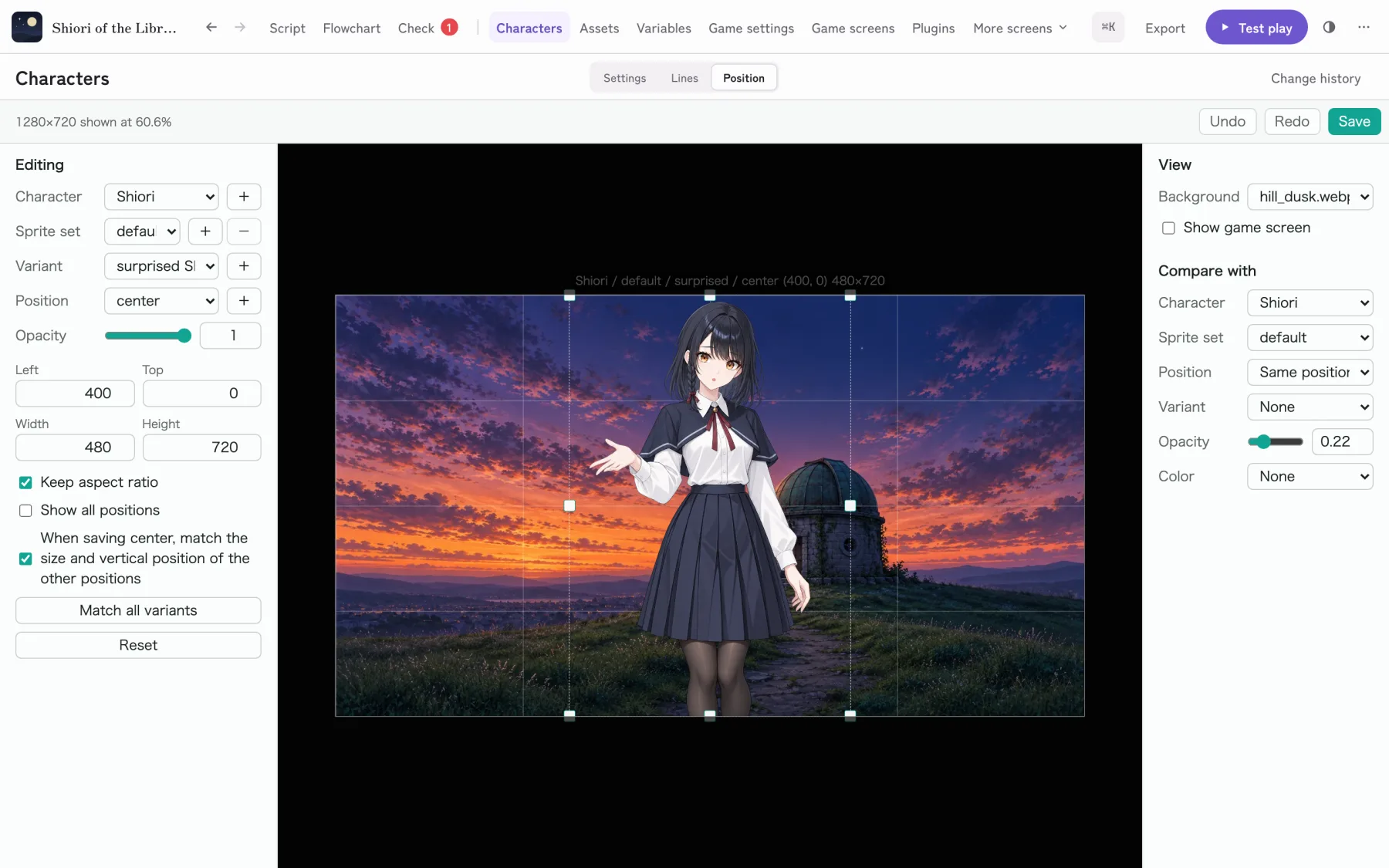
Switch to “Position” to adjust the sprite’s size and its standing positions, such as left, center and right, by dragging on the game screen.
Change history
“Change history” to the right of the heading compares earlier versions of cast.json with the current one, line by line. “Restore this content” restores the characters to that version. The content before restoring is kept in the change history as well.